RESX translator: translate .resx files without copying strings into spreadsheets

Smartcat’s RESX translator turns one .resx file into a translated .resx for every language your .NET app supports, and your reviewers approve every value. Approved strings are reused in the next sprint.

Translate any file. In seconds.
Images, docs, video, audio, courses — pick a format and drop your file.
Drop documents here
or browse files · Supports .docx, .pdf, .pptx, .xlsx and more
From
To

Translate

More than 80 of the world’s largest companies have chosen Smartcat

What is a RESX file?

A RESX file (.resx) is the XML resource file format .NET applications use to store the text users see, such as UI labels, messages and errors. Each string is a <data> element: its name attribute is the key your code looks up, the <value> holds the text, and an optional <comment> tells translators what the string is for.

The default file, such as Strings.resx, holds your source language. Each translation is a copy named with a culture code, such as Strings.de.resx, that .NET loads for German users. Translating a .resx file means changing only the values, and keeping every name, placeholder and tag exactly as it was.

RESX sits alongside JSON, XML, PO and XLIFF in Smartcat’s software localization platform. Other formats have their own pages: the XML translator, gettext PO files and XLIFF files.
92%

accepted without edits

92% of words translated by Smartcat AI are accepted without a single human edit.

280+

languages

Translate one .resx file into 280+ languages, including right-to-left languages, in a single project.

80+

file formats

Translate .resx next to JSON, XML, PO and XLIFF files in the same project, with one translation memory.

Strings.resx (source, English)
<root>
  <data name="Cart_ItemCount">
    <value>You have {0} items in your cart</value>
    <comment>{0} = number of items. Shown in the header.</comment>
  </data>
  <data name="Button_Checkout">
    <value>Check out</value>
    <comment>Button label, keep it short</comment>
  </data>
</root>
  • Translated

    <value>The text users see. This is the only part that changes in each language.

  • Kept as is

    nameThe key your code calls, such as Strings.Cart_ItemCount. Rename it and the lookup fails.

  • Must stay in the string

    {0}A placeholder that String.Format fills at runtime. Every translation needs it, wherever the grammar puts it.

  • Context

    <comment>A note for whoever translates the string. Users never see it.

Why do .resx files break when they’re translated by hand?

RESX files break in manual translation because values are copied into a spreadsheet, sent out and pasted back into the XML by hand. Each hand-off can rename a resource, drop a {0} placeholder or leave a tag unclosed, and then the .NET build or the resource lookup fails.

Translating .resx by hand

SpreadsheetsEmailCopy and paste

Translating .resx in Smartcat

UploadReviewDownload

Values copied into a spreadsheet

Someone exports names and values, sends the sheet out and pastes every translation back into XML.

Upload the .resx itself

Smartcat translates the .resx file you upload and returns a translated .resx for each language, with no spreadsheet step.

A name changes or a tag breaks

One edited name or unclosed element, and the lookup fails or the build stops on an XML error.

Translators work in an editor, not raw XML

Linguists edit text segments in the Smartcat editor, so nobody types inside the file’s XML by hand.

Repeated strings get paid for again

The same “Save” and “Cancel” values are retranslated in every .resx file and every sprint.

Translation memory reuses approved values

Approved values are reused across every .resx file in the project, and your reviewers approve every language before export.

The whole file goes out again

Next sprint, the full .resx is resent and repaid, even if only five strings changed.

Only new strings are billed

Translation memory fills every value you’ve already approved, so only new and changed strings are billed.

What each part of a .resx file does in translation

In a translated .resx file, only the text inside each <value> element should change. The table shows what each part of the file does, and what to check in every language before you add the file to your project.

Part of the fileExampleWhat it doesChanges in translation?
<data name="…">Cart_ItemCountThe resource key your code or XAML binding looks up.No. It stays the same in every language.
<value>You have {0} itemsThe text users see in the UI, a message or an email.Yes. This is what gets translated.
Format placeholders{0}, {1:N2}Slots that String.Format fills with numbers, names or dates.Must stay in every translation, though its position can move. Check each one in review.
Inline markup<b>{0}</b> savedHTML or tags some apps render from a resource string.No. Tags must stay as they are; only the text around them should change. Check them in review.
<comment>Button labelA note for translators about where the string appears.Not shown to users. Check that it reads as a note, not as text to translate.
<resheader>, schemaresmimetypeTells .NET how to read the file.No. It should stay exactly as it is.
File nameStrings.de.resxThe culture code tells .NET which language the file holds.Yes. Add the culture code to each translated file.

Smartcat translates .resx as a file: upload it through the web app or the REST API and download a translated .resx per language.

How to translate a .resx file in Smartcat

To translate a .resx file in Smartcat, create a project with your target languages, upload the file, let AI translate each value, have reviewers approve every language and download one translated .resx per culture.

  1. Create a project and pick your cultures

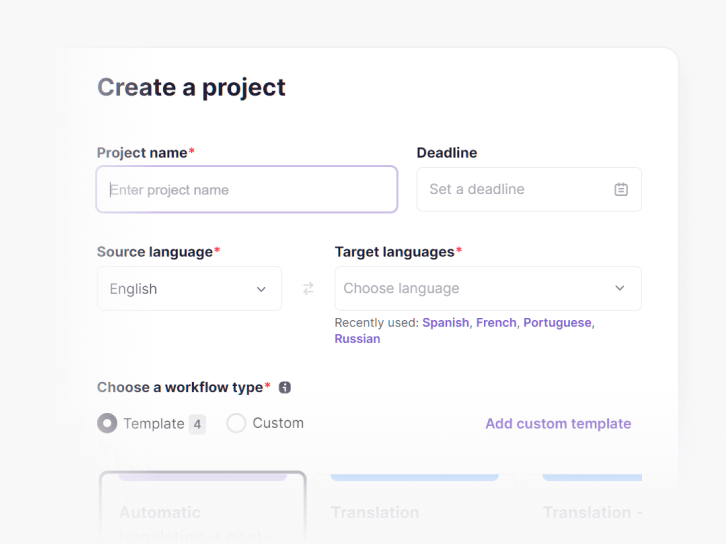
    Choose the source language and every target language your app supports, such as German, French (Canada) and Japanese.

    Smartcat project setup with source and target language fields
  2. Upload your .resx files

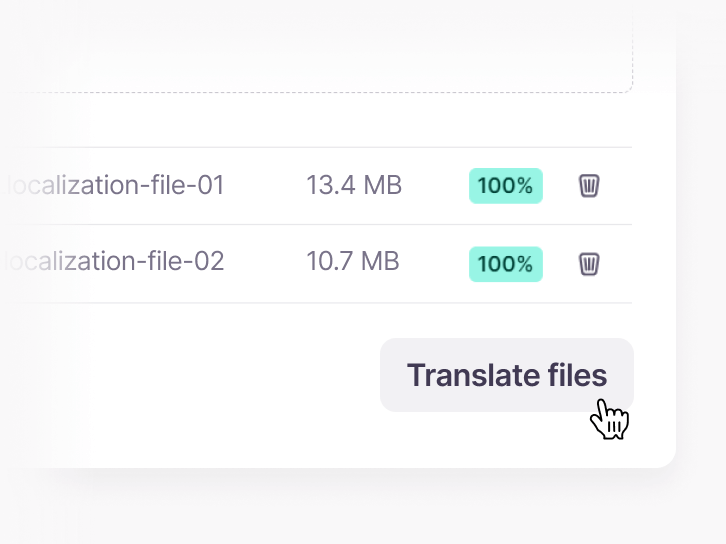
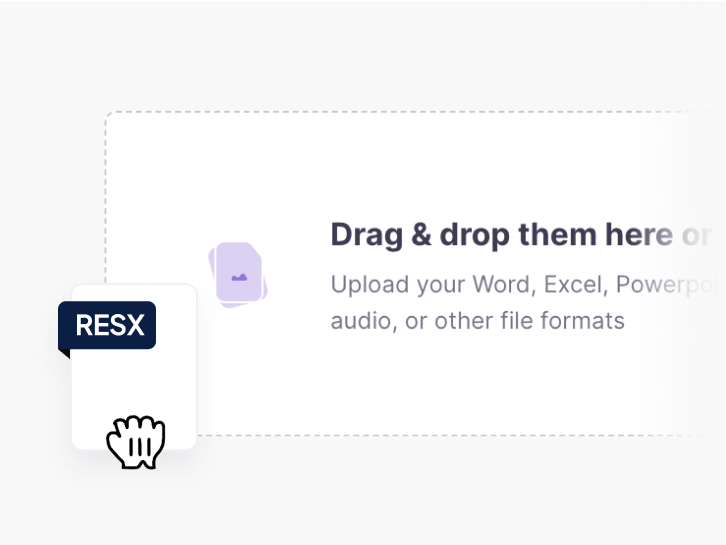
    Drag in Strings.resx and any other default resource files. Several files and every target language fit in one project.

    Uploading a RESX file to Smartcat by drag and drop
  3. Translate the values with AI

    The Content Translator Coworker drafts every value with your glossary and translation memory, so product terms stay consistent.

    Uploaded files ready to translate in Smartcat
  4. Review and approve each language

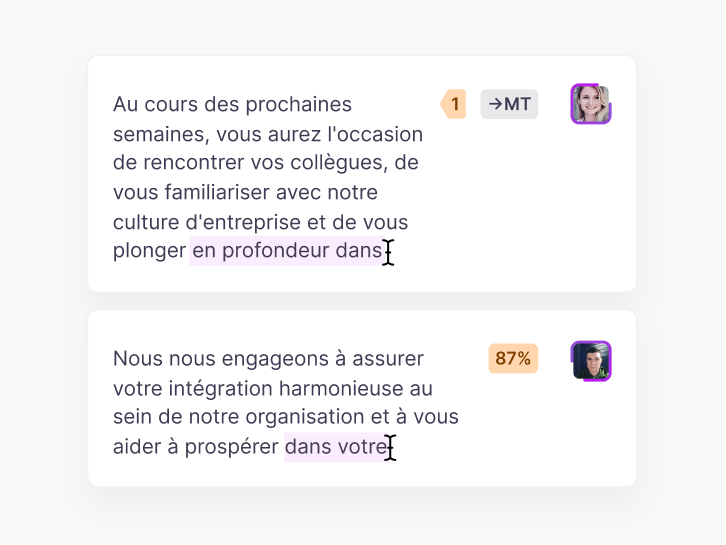
    Your developers, product team or Smartcat Marketplace linguists edit strings in the editor. Every approved edit goes into translation memory.

    Translated segments in the Smartcat editor with match scores
  5. Download and add the files to your project

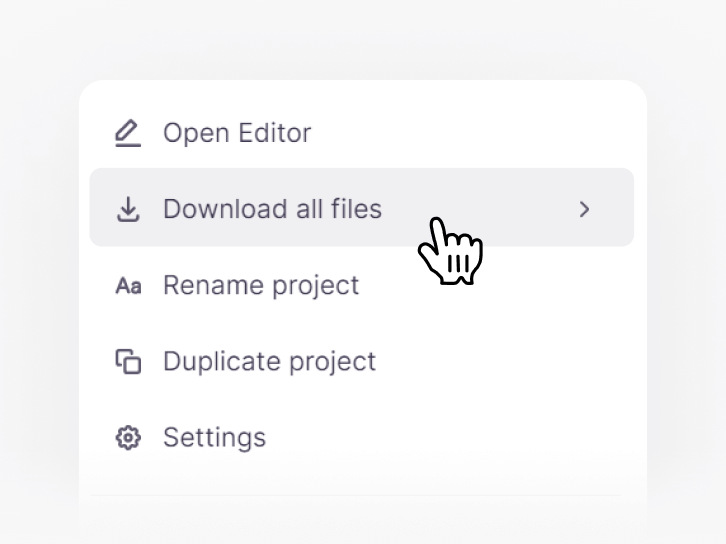
    Download one .resx per language, add the culture code to its name, such as Strings.de.resx, and place it next to the default file.

    Downloading all translated files from a Smartcat project

See these five steps on a .resx file from your own solution

RESX translation software for .NET product teams

Smartcat’s RESX translation software gives .NET developers a file-in, file-out workflow: upload a .resx file, download the translations. Linguists and reviewers get the editor, glossary, translation memory and quality checks to get each language right before it reaches the build.

See the RESX workflow on your own solution

.NET localization: satellite resources, culture codes and Visual Studio

.NET localization with .resx files works by culture: each translated file, such as Strings.de.resx, compiles into a satellite assembly that ResourceManager loads for that culture. These cards cover file naming, fallback, Visual Studio, ASP.NET Core and the strings that need care.

Satellite resources and culture codes

Default and culture‑specific .resx files

The default Strings.resx holds your source language and compiles into the main assembly. Each translation is a copy named with a culture code, which builds into a satellite assembly .NET loads for that culture.

  • Strings.resx
    Default resources, main assembly
  • Strings.de.resx
    German, satellite assembly in de/
  • Strings.fr-CA.resx
    French (Canada), in fr-CA/

How .NET picks a language at runtime

ResourceManager looks for the current UI culture first, then its parent culture, then the default file. A missing string never crashes the app; it falls back to the source language.

  1. fr-CAStrings.fr-CA.resx
  2. frStrings.fr.resx
  3. DefaultStrings.resx

Neutral or specific culture?

Translate into a neutral culture such as de when one version serves every market, or a specific one such as de-AT or pt-BR when wording differs. Each is a separate target language in Smartcat.

Neutral
defresja
Specific
de-ATfr-CAes-MXpt-BR

Visual Studio and the build

Where translated files go in Visual Studio

Add each translated .resx to the same folder as the default file. Only the default file needs the generated Strings.Designer.cs class; the culture files don’t.

  • Same folder as Strings.resx
  • Build action: Embedded resource
  • Designer class on the default file only

ASP.NET Core and IStringLocalizer

ASP.NET Core reads the same .resx format through IStringLocalizer. Files are named after the class or view they serve, under the folder set in ResourcesPath.

Example file names in Resources/

Controllers.HomeController.de.resxViews.Home.Index.fr.resx

Updating translations every sprint

When developers add or change strings, upload the updated default .resx. Translation memory fills every value you’ve approved before, so only new and changed strings are billed.

  • Unchanged values filled from translation memory
  • New and changed values translated and reviewed
  • Translated .resx ready for the next build

WinForms, WPF, Blazor and .NET MAUI use the same .resx files

Windows Forms, WPF, Blazor and .NET MAUI all read localized strings from .resx files through ResourceManager or IStringLocalizer, so one translated Strings.de.resx serves each of them. Only how the UI binds to the string differs.

Same .resx format

Windows FormsWPFBlazor.NET MAUIASP.NET Core

RESX editor: Visual Studio for source strings, Smartcat for translations

Which editor for which job

Edit source strings in the Visual Studio resource editor or ResXManager, a free, open-source Visual Studio extension that shows every culture’s values side by side. To translate and review them, use Smartcat as an online RESX editor, and approved edits go into translation memory.

Visual Studio
Source stringsNamesComments
Smartcat
TranslationsReviewTranslation memory

Strings that need care

Placeholders and word order

Composite format items such as {0} and {1:N2} must appear in every translation, but their order can change. German and Japanese often move the number to a different place in the sentence.

  • en
    You have {0} items in your cart
  • de
    Ihr Warenkorb enthält {0} Artikel
  • ja
    カートに{0}個の商品があります

Plurals in .resx

RESX has no plural syntax, so apps usually keep one key per plural form, such as Items_One and Items_Other. Translators then translate each form as its own string.

Languages such as Polish and Arabic need more plural forms than English. Add the extra keys in your code before translation.

The AI coworkers that translate your .resx files

Each coworker handles one step of translating your .resx files, from the first draft to the final check. Your reviewers approve every language before you download it.

Smartcat integrations for .NET and software localization

Upload .resx files through the web app or the Smartcat REST API, connect a repository with the GitHub integration, and bring in the tools where the rest of your product copy lives. See all integrations

Localization results at Kaseya and Huel

Software and product teams use Smartcat to keep every language moving with their release cycle, without adding headcount.

10+

languages from day one

Kaseya launches in 10+ languages from day one, across multiple product lines, without increasing budget.

70%

lower localization costs

Kaseya cut localization costs by 70% and reinvested the savings in 8+ more languages.

21

weeks of manual work removed a year

Huel eliminated 21 weeks of manual localization work a year, nearly half a full-time role.

10+

languages with day-one global launches (Kaseya case study)

“We’re coding with AI, so we’re releasing product updates every day, a couple times a day. There’s no way to keep up with that. This rate of change is one of the reasons why Smartcat is so necessary.”

At Kaseya, UI strings that developers commit are synced to Smartcat for translation through the GitHub integration, and completed translations flow back into the repository without manual intervention.

Read the Kaseya case study
Ellen Kelly
Ellen KellyDirector of Product Documentation, Kaseya

See your next .resx release translated into every language

What product and localization teams say on G2

What developers ask before they move .resx files to Smartcat

“Do we have to convert .resx to XLIFF or JSON first?”

No. Upload the .resx files as they are and download translated .resx files. There’s no conversion script to write or maintain.

Strings.resx inStrings.de.resx out

“Can we sync .resx keys with the CLI like our JSON files?”

No. RESX works as a file upload, not in key-collection projects, which import JSON, YAML, Android XML and iOS .strings (see the JSON translator). Upload .resx through the web app or the REST API instead.

This is the one place RESX differs from JSON in Smartcat: files, not synced key collections.

“Will our developers have to learn a translation tool?”

No. Developers upload files and download translations. Linguists and reviewers work in the Smartcat editor, and your team steps in only to approve.

  1. DeveloperUploads .resx
  2. ReviewerApproves
  3. DeveloperDownloads

“What does it cost to retranslate after every sprint?”

Little. Translation memory fills every value you’ve approved before, so a sprint that adds 40 strings means paying for those 40, not the whole file.

Translation memoryGlossaryBilling on changes only

How Smartcat protects the resource files you translate

Resource files often name features that haven’t shipped yet. Smartcat protects that content at every step; see how on the Smartcat security page.

Role-based access controls

Set who can view, translate, review and approve each project by team, role or region on enterprise plans.

Single sign-on (SSO)

Sign in through your existing identity provider on enterprise plans.

SOC 2 Type II compliant

Smartcat is SOC 2 Type II compliant and isolates every workspace.

Never used to train public AI models

Your strings and product copy are never used to train public AI models.

Audit trails

See who changed what and when across translation and review on enterprise plans.

Encryption and deletion on request

Content is encrypted in transit and at rest, and deleted or returned within 30 days of a written request.

Resources for .NET and software localization

Guides from the Smartcat blog on software localization, internationalization and keeping translations in step with releases.

RESX translation FAQ

Is there a free RESX translator?

Not as a free plan, but you can test it free: Smartcat’s 15-day trial includes 15,000 Smartwords and needs no credit card, enough to translate a typical .resx file into several languages. Free tools such as the Visual Studio resource editor or ResXManager let you edit .resx values, but they don’t keep a shared translation memory or a reviewer step.

Can I translate a .resx file online?

Yes. Upload the .resx file to a Smartcat project in your browser, choose your target languages and let the Content Translator Coworker draft every value with your glossary. Your reviewers approve each language in the editor, then you download one translated .resx per language, add the culture code to its name, such as Strings.fr.resx, and place it next to the default file in your project.

What is the best RESX translator?

Smartcat fits .NET teams that translate .resx files into many languages every sprint. For one small file, ResXManager, a free Visual Studio extension, and a translator are enough. Whichever tool you test, upload a real .resx file and check that every data name matches the default file, each placeholder is still in its value and the solution builds.

How do I edit a .resx file?

For source strings, open the .resx file in the Visual Studio resource editor or any XML editor. To edit translations, upload the file to Smartcat, which works as an online RESX editor for translators: each value sits beside its source string. Smartcat then returns an edited .resx per language, ready to drop back into your project.

Can I open a .resx file in Excel?

Not directly, and you don’t need to: Smartcat translates the .resx file itself, so there is no spreadsheet step. A .resx file is XML, so Excel can only import it as raw XML, and saving it back can break the schema. To view or edit source strings, open the file in the Visual Studio resource editor or a free ResX editor.

Can I translate a .resx file with Google Translate or ChatGPT?

You can, but Google Translate and ChatGPT work on pasted values, not on the .resx file that Smartcat takes, so you copy each value back by hand. There is no translation memory, glossary or reviewer step, and pasted XML can come back with translated names or broken tags. Each update also starts over, because nothing is remembered between sprints.

What is the difference between .resx and .resources files?

A .resx file is the editable XML source; a .resources file is the binary that the .NET build compiles from it and embeds in an assembly. Smartcat translates the .resx files, which you keep in source control. The build then turns each culture’s .resx into a satellite assembly that your app loads at runtime.

How do I localize a .NET app with .resx files?

To localize a .NET app, translate each default .resx file into a copy named with a culture code, such as Strings.de.resx, and build it into a satellite assembly. Smartcat returns one translated .resx per target language: Strings.fr-CA.resx for French (Canada), Strings.ja.resx for Japanese. Keep each copy in the same folder as the default Strings.resx.

How do I check a translated .resx file before shipping it?

Smartcat returns one translated .resx per language, and a quick check before you add it to your project catches most problems. Compare it with the default file: every data name should match, each placeholder such as {0} should appear in its value, and inline tags should be closed. Then build the solution and open the app in that culture.

Can I translate several .resx files into many languages at once?

Yes. A Smartcat project holds as many .resx files and target languages as you need, and each language runs as its own task with its own reviewer. One translation memory serves every file, so a string translated in one resource file is reused in the others, and terms stay consistent across your whole solution.

How accurate is AI translation of .resx files?

Most strings need little editing: 92% of words translated by Smartcat AI are accepted without a single human edit, and your glossary keeps product terms consistent. The limit is context. Short labels such as “Open” or “Check out” are ambiguous on their own, so have a reviewer check them in the editor before export, especially for buttons and menu items.

Do you need access to our source code?

No. Smartcat only needs the .resx files you upload, not your repository or solution. Developers export or copy the default resource files, upload them and download the translations. If you want automation later, Smartcat’s REST API can move the files from your own pipeline, with access limited to the projects you connect.

How much does .resx translation cost?

Smartcat charges by Smartwords, its single usage unit: translating one source word into one target language uses one Smartword. Plans include a Smartwords allowance shared by unlimited users, and a 15-day trial with 15,000 Smartwords needs no credit card. When you upload an updated .resx file, translation memory fills every unchanged value, so only new and changed strings are billed.

Didn’t find your answer? Talk to a localization specialist

Ship your next .NET release in every language

See Smartcat translate a .resx file from your own solution, from upload to one file per language, or start a 15-day free trial with 15,000 Smartwords and no credit card.