JSON Translator: Translate Locale Files Without Breaking Keys

Smartcat is a JSON translator for product teams: it parses your JSON locale files, translates only the string values and returns the same keys and nesting in any of 280+ languages. Placeholder tokens stay locked as tags, using regex rules you define once.

Translate any file. In seconds.
Images, docs, video, audio, courses — pick a format and drop your file.
Drop documents here
or browse files · Supports .docx, .pdf, .pptx, .xlsx and more
From
To

Translate

More than 80 of the world’s largest companies have chosen Smartcat

What is a JSON translator?

A JSON translator is a tool that converts the human-readable strings in a JSON file into another language without touching the file’s structure. Smartcat translates the string values in your locale files — keys and nesting stay exactly as they were, and placeholder tokens are locked as non-editable tags — so the translated file drops back into your i18n pipeline.

As a JSON file translator, Smartcat handles en.json, translation.json and every other locale file your i18n library reads. JSON localization goes one step further: your locale files become keys in a Smartcat project that you import and export through the UI, REST API or CLI, so each release sends only new and changed strings to translation.

Translating one file, once? The free JSON translator runs the same engine in your browser.
92%

of AI-translated words accepted as is

92% of words translated by Smartcat AI are accepted without a single human edit.

280+

languages

Generate de.json, ja.json and pt-BR.json from one en.json, in any of 280+ languages.

80+

file formats

JSON sits next to YAML, Android XML, iOS .strings and XLIFF in the same workspace.

Interactive demo: keys from imported locale files, reviewed in a Smartcat software localization project.

Why do JSON files break in ordinary translators?

JSON files break in ordinary translators because those tools treat the whole file as prose, so keys, placeholders and plural syntax get translated along with the text.

Paste an en.json into a generic translator and it treats the whole document as prose. What comes back parses in your editor — or doesn’t — and fails in production. None of these show up in review. They show up at runtime, one locale at a time.

Generic translator

Whole file as proseBreaks at runtime

Smartcat

Parsed by keyString values only

Keys get translated

“checkout_button” becomes “bouton_de_paiement”, and every lookup in your code now returns undefined.

Keys stay locked

Smartcat imports keys as IDs, not as text. Only string values become segments, so every lookup still resolves.

Placeholders get mangled

“Hello, {{userName}}” comes back as “Bonjour, {{nomUtilisateur}}”, and the string renders a raw token.

Placeholders become tags

Tokens that match your placeholder rules import as locked tags. Translators can move them but can’t edit them.

Plural forms collapse

An ICU message like {count, plural, one {# item} other {# items}} is flattened into one sentence, and plurals break in every language that isn’t English.

Plurals keep their forms

ICU plurals are parsed into the plural forms each language needs, and export writes them back as ICU-compatible strings.

Escaping corrupts the file

Escaped quotes, \n and \uXXXX sequences get “helpfully” normalized, and a file that looked fine in a diff throws at JSON.parse.

Structure comes back unchanged

Only string values become segments. Keys and nesting are never offered for translation, so the exported file keeps your source file’s shape.

What a JSON translator has to preserve

A JSON file translator has to keep keys, nesting, placeholders and ICU plurals intact and translate only the string values. A JSON translation tool that does this gives you JSON file translation your build can read. Here is what each part of the file needs.

ElementExampleGeneric translatorSmartcat
Keys"checkout.title"Often translated, so lookups failLocked as key IDs, never sent to translation
String values"Your cart"Translated together with the code around themTranslated as segments with translation memory and glossary
Nested objects{"nav": {"home": "Home"}}Brackets and quotes can shiftShape kept; export as flat or structured JSON
Placeholders{{userName}}, %s, {0}Translated or droppedLocked as tags by the placeholder rules you set once
ICU plurals{count, plural, one {…} other {…}}Flattened into one sentenceParsed into plural forms per language, exported as ICU
ContextLocJSON comments and maximum lengthLostShown to translators next to the string

The same software localization project also imports YAML, Android XML, iOS .strings and LocJSON keys.

How Smartcat translates JSON locale files

To translate a JSON file in Smartcat, upload it, pick target languages, lock placeholders, let AI translate, review, and download the same keys in every language. The same flow runs through the CLI and REST API, and the step-by-step guide to translating a JSON file covers flat, nested and i18next files.

  1. Upload your JSON file

    Upload en.json, or several locale files at once. Developers can import keys with the CLI or REST API instead.

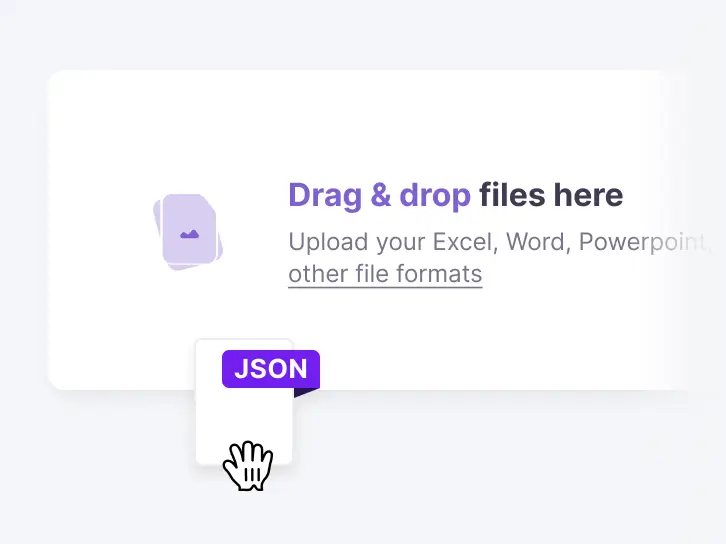
    Drag-and-drop upload area in Smartcat with a JSON file being added
  2. Pick your target languages

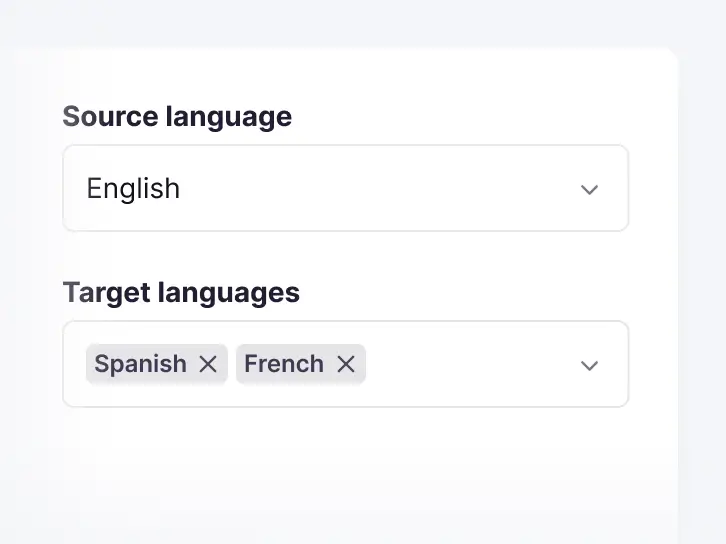
    Choose one source language and every target language you need. You can add target languages later at any time.

    Source language English and target languages Spanish and French selected in Smartcat
  3. Lock your placeholders

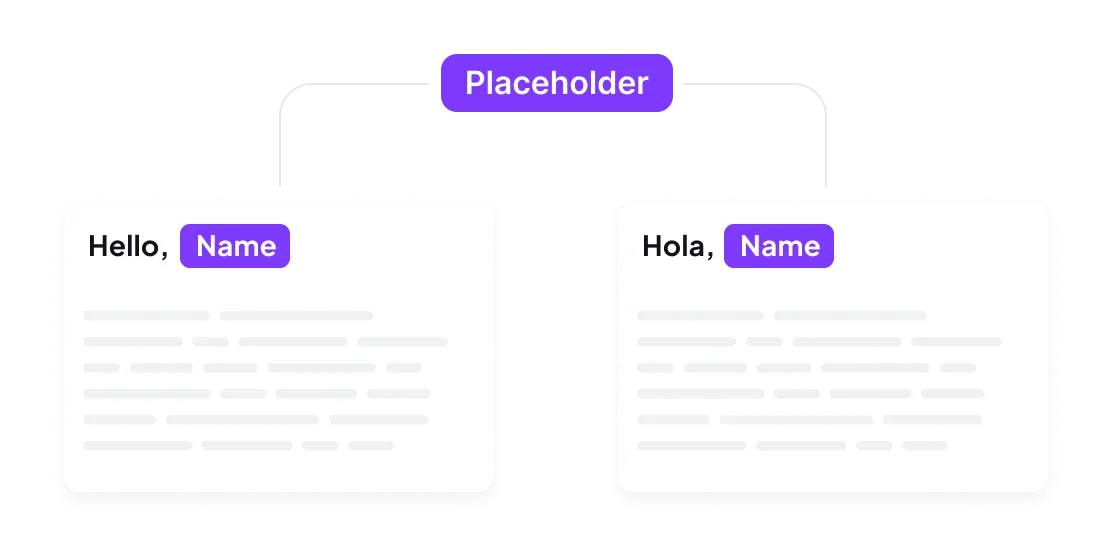
    Add a rule for each token format your code uses, such as {{name}}, %s or {0}. Matching tokens import as locked tags.

    A Name placeholder kept as a tag in the English and Spanish versions of a string
  4. Let AI translate

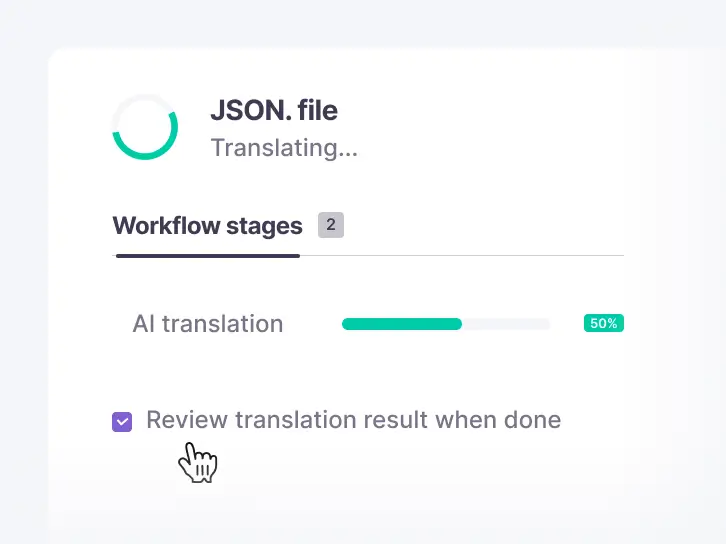
    Smartcat AI drafts every string with your translation memory and glossary, so strings approved in earlier releases are reused.

    A JSON file at the AI translation stage of a Smartcat workflow
  5. Review what matters

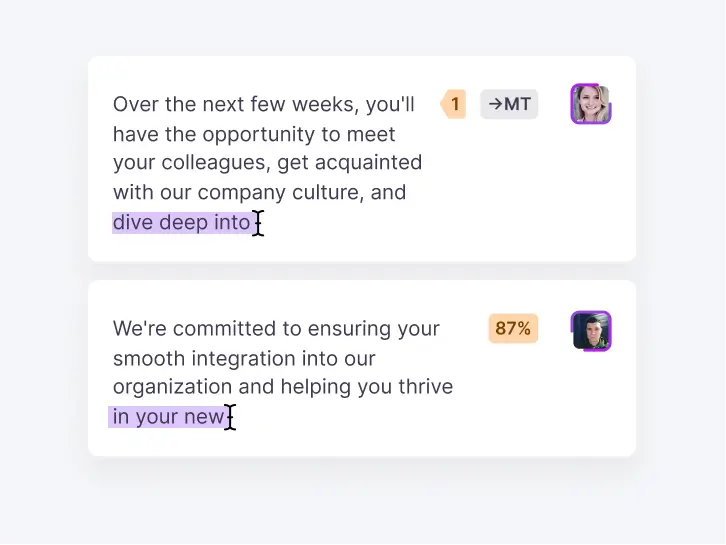
    Open the editor to check strings, enforce glossary terms, or route a language to a human reviewer. Skip it when the AI draft is enough.

    Translated segments with match scores in the Smartcat editor
  6. Download JSON

    Same keys, same nesting, new language. Export one file per language, or select whole projects and download one ZIP sorted into folders.

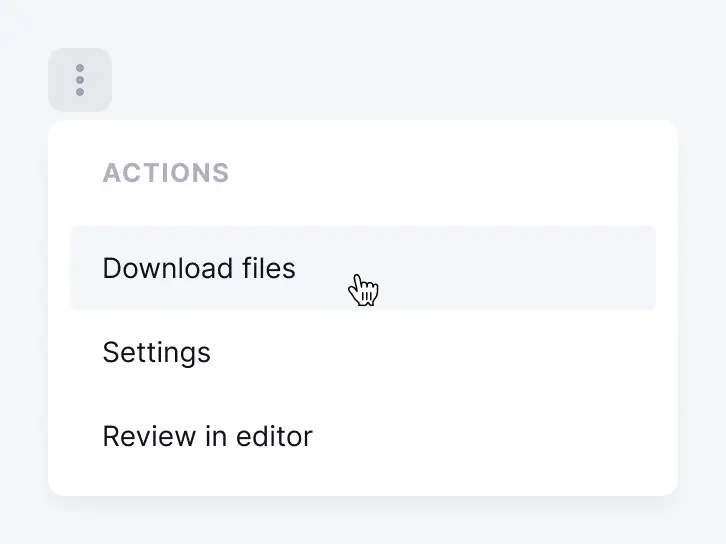
    Download files action in a Smartcat project menu

See these six steps on one of your own JSON files

JSON localization software for product teams

JSON localization software stores your strings as keys, so every release reuses approved translations. In Smartcat, one project holds your keys, translation memory and glossary, as part of its software localization platform. Different job? Translate a single file for free, follow the step-by-step guide on how to translate a JSON file, or translate JSON files to English and other languages.

Bring one real locale file to a demo

JSON localization: nested keys, plurals and framework files

Smartcat handles nested JSON keys with a path separator, ICU plurals as per-language plural forms, and i18next or React Native locale files as standard key-value JSON. These are the three places JSON localization usually goes wrong.

Keys and structure

Nested keys

Smartcat keeps nested JSON objects as they are. Structured JSON uses a path separator to map each nested key to one ID, such as checkout.button.label, and exports the same nesting back.

  • checkout.button.label
    Key ID, locked
  • "Pay now"
    String value, translated

Flat or structured export

Export the same keys as flat JSON with dotted IDs or as structured JSON with nested objects, whichever your i18n library reads.

Flat
"nav.home": "Home"
Structured
"nav": { "home": "Home" }

Plurals and variables

ICU plurals

Import ICU MessageFormat plurals parsed into separate plural forms, or keep them as they are. Each language gets the forms it needs, and export writes them back as ICU-compatible strings.

  • oneother
    English source: two forms
  • onefewmanyother
    Russian or Polish: four forms
  • other
    Japanese: one form

Placeholders and variables

Tokens such as {{userName}}, %s and {0} import as locked tags when they match the placeholder rules you set once. Translators can move a tag within the sentence but can’t change or delete it.

  • {{userName}}
    Named variable
  • %s%d
    printf-style
  • {0}
    Indexed argument

Framework files

i18next and React Native JSON

An i18next JSON translation file such as translation.json, like any React Native locale file, is standard key-value JSON. A multi-language JSON setup with one JSON language file per locale imports directly as keys with its nesting intact.

One file per locale

en.jsonde.jsonja.jsonpt-BR.json

YAML, Android XML and iOS .strings next to JSON

One software localization project can hold JSON, YAML, Android XML and iOS .strings keys, so web and mobile strings share one translation memory and glossary.

Formats in one project

.json.ymlstrings.xml.strings

LocJSON for context

LocJSON is Smartcat’s JSON-based integration format. Each unit can carry a comment and a maximum length, which translators see next to the string.

  • Key and source text
  • Optional existing translations
  • Comment per unit
  • Maximum length per unit

TJSON and other file formats

TJSON files translate as regular file projects, next to gettext PO, XLIFF and Java .properties files in the same workspace.

File projects

TJSONPO/POTXLIFF.properties

The AI coworkers behind the work

Each coworker handles one step of JSON localization, from the first draft to the final check. Your reviewers approve every language before export.

Connect Smartcat to the tools your strings live in

Push and pull JSON locale files from your repository, the CLI or the REST API, and translate the content around your product from the tools your teams already use.

Teams that ship every language with Smartcat

Huel runs website, CRM, creative and technical localization in one Smartcat workspace. Each number below comes from Huel’s published case study.

5 min

per website article, down from 1.5–2 h

Preparing one website article went from 1.5–2 hours to about five minutes with the Contentful integration.

21

weeks of manual work removed a year

Huel eliminated 21 weeks of manual localization work a year, nearly half a full-time role.

10 h

saved per week per team

Automation and integrations save Huel’s teams 10 hours a week each, across web, CRM and performance marketing.

50%

cost savings overall compared with agencies

“Smartcat is more than a translation tool for us; it’s integrated with our tech stack.”

Huel onboarded CRM, performance marketing, creative, web and technical teams to Smartcat. AI translation runs with a glossary of about 500 entries, and human review goes where it matters most.

Magdalena Tumulka
Magdalena TumulkaLocalization Lead, Huel

See what your JSON files look like in every language

What product and localization teams say on G2

What developers ask before they move JSON files to Smartcat

Short answers to the questions engineering teams raise before they choose a JSON translator, including one thing AI can’t do for you.

“Will the exported JSON still parse?”

Yes. Smartcat translates only string values. Keys and nesting are locked on import, so the file you download has the same shape as the one you uploaded.

  • Keys locked as IDs
  • Placeholders as tags
  • Same nesting on export

“Our translations already live in the repo.”

They can stay there. Push and pull keys with the CLI or REST API from your CI/CD pipeline, or connect GitHub, GitLab or Bitbucket. Your repository keeps the files your build reads.

“Do we pay again for strings we already translated?”

No. Only new and changed strings are billed. Translation memory fills every string you approved in an earlier release, so reviewers see only what changed.

“Can AI tell what a two-word UI string means?”

Not always. “Save” can be a button, a discount or a noun. Add a screenshot or a comment to short strings, and route them to your own reviewers or Smartcat linguists before release.

How Smartcat protects the strings you translate

Smartcat is SOC 2 Type II compliant and ISO 27001 certified. Locale files and translation memory stay in your isolated workspace. Read about security at Smartcat.

Role-based access controls

Set who can view, translate, review and approve strings by team, role or region on enterprise plans.

Single sign-on (SSO)

Sign in through your existing identity provider on enterprise plans.

SOC 2 Type II compliant

Smartcat is SOC 2 Type II compliant and isolates every workspace.

Never used to train public AI models

Your strings and source files are never used to train public AI models.

Audit trails

See who changed what and when across translation and review on enterprise plans.

Encryption and deletion on request

Content is encrypted in transit and at rest, and deleted or returned within 30 days of a written request.

Resources for JSON localization

Guides on i18n, continuous localization and software localization for teams that translate JSON locale files every release.

Frequently asked questions about JSON translation

What is a JSON file?

A JSON file (JavaScript Object Notation) is a lightweight, text-based format for structured data, and Smartcat translates the text inside it. Apps keep interface text in JSON locale files such as en.json, as key-value pairs separate from code. Smartcat translates the string values and keeps keys and nesting as they are.

What is the best JSON translator?

The best JSON translator changes only string values, and Smartcat is built around that rule. Compare tools on four criteria: keys and nesting kept exactly, placeholders locked as tags, ICU plurals handled per language, and translation memory that reuses earlier releases. Also check for a CLI or API, so locale files can move through your CI/CD pipeline.

What is JSON localization?

JSON localization is the process of adapting the strings in JSON locale files for each language and market, release after release. In Smartcat, locale files become keys in a software localization project, so each release sends only new and changed strings to translation. For a single one-off file, the free browser version is enough.

How do I localize an i18next or React app’s JSON files?

Keep en.json, or translation.json for i18next, as the source and import it into a Smartcat software localization project as keys. Add your target languages; AI drafts each string with your glossary and translation memory, and reviewers approve. Export de.json, fr.json and the rest with the same keys, or pull them with the CLI in CI/CD. React Native locale files work the same way.

Will the translated JSON file still parse?

Yes. Smartcat translates only string values and never touches structure. Keys and nesting are locked when the file is imported, and only the text in string values becomes translatable segments. The exported file is written from the same parsed structure, so it has the same shape as your source file.

How does Smartcat handle nested JSON keys?

Smartcat keeps nested objects as they are. In software localization projects, structured JSON uses a path separator to turn each nested key into one ID, such as checkout.button.label, and you can export the result as flat or structured JSON. Key IDs travel with each string, which helps translation memory match it.

Does Smartcat support ICU MessageFormat plurals?

Yes. Smartcat supports plurals two ways: natively, with each plural form as its own segment, or as ICU MessageFormat syntax. On import you choose whether keys with ICU syntax are parsed into individual plural forms or kept as they are, and on export plural forms are written back as ICU MessageFormat-compatible strings.

Can I translate only the keys that changed since the last release?

Yes. Smartcat bills only new and changed strings. Push the updated file or keys through the UI, CLI or REST API, and translation memory fills every string you already approved. Translators and reviewers then work only on what changed, and the export still contains every key in every language.

Which JSON formats and frameworks does Smartcat work with?

Smartcat imports standard key-value JSON, nested JSON and LocJSON as keys, and translates TJSON as a file format. i18next translation files and React Native locale files are standard JSON, so they import directly. The same project also takes YAML, Android XML and iOS .strings, and exports JSON or YAML as flat or structured files.

Is there an API or CLI for JSON translation?

Yes. Smartcat has a REST API and a command-line interface (CLI) for importing and exporting keys, and both run from CI/CD scripts. Developers can push source strings after a build and pull translated JSON before release. The GitHub, GitLab and Bitbucket integration syncs repositories without custom scripts. See the developer docs.

How does Smartcat protect placeholders like {{name}}?

Smartcat turns placeholders into locked tags. You add a regular expression for each token format your code uses, such as {{name}}, %s or {0}, once in the placeholder settings. Matching tokens import as tags that translators can move within a sentence but can’t edit or delete.

Is my source content safe?

Yes. Smartcat is SOC 2 Type II compliant and ISO 27001 certified. Files are encrypted in transit and at rest, workspaces are isolated, and access is role-based. Your strings are never used to train public AI models, and content is deleted or returned within 30 days of a written request. Details are on the security page.

Where does an AI JSON translator fall short?

Smartcat AI can’t always infer UI context from a key name. “Save” might be a button, a discount or a noun, and the right translation differs in most languages. For strings under about three words, treat the AI draft as a starting point: add a screenshot or comment and route that language to a reviewer before release.

Didn’t find your answer? Talk to a localization specialist

Ship every locale from one source file

Use Smartcat as your JSON translator: upload en.json and download every other locale with keys, placeholders and nesting intact. See it on one of your own locale files, or start a 15-day free trial with 15,000 Smartwords and no credit card.