Cue text
Translate it. The words viewers read are the part Smartcat translates, cue by cue, with your glossary and translation memory applied.
- Welcome to safety training.Willkommen zum Sicherheitstraining.
Smartcat is an AI VTT translator for teams that publish video on the web and in learning platforms. Translate VTT files online: upload a .vtt file and AI translates the subtitles cue by cue into 280+ languages, keeping the timecodes and cue order from your file.
Reviewers check reading speed and line length in the Subtitle Editor, then you export a VTT file per language, an SRT file, or an MP4 with the subtitles burned in.
More than 80 of the world’s largest companies have chosen Smartcat
VTT translation is the translation of a WebVTT subtitle file’s cue text into another language, with the header, timecodes and cue order left intact so the file still plays.
A VTT file (WebVTT, short for Web Video Text Tracks) is a plain-text subtitle and caption format made for web video. It starts with a WEBVTT header, followed by cues: each cue has an optional identifier, a start and end timecode, optional settings for position and alignment, and the text shown on screen. HTML5 video players load it through the <track> element.
The format is specified by the W3C: the WebVTT specification (Candidate Recommendation Draft, 20 May 2026) defines it for text tracks used with the HTML <track> element and puts a period before the three millisecond digits of every timestamp, as in 00:00:04.200.
For the format basics, see what a VTT file is and how to open one. As of October 2026, Smartcat opens .vtt subtitles in its Subtitle Editor, translates each cue and exports a VTT file per language.
280+
languages
Translate one subtitle file into 280+ languages in the same project.
35K+
hours of video and audio
More than 35,000 hours of video and audio have been translated with Smartcat.
3
ways to deliver
Export a VTT file, an SRT file or an MP4 with the subtitles burned in.
WEBVTT

NOTE Module 3: safety briefing

intro-1
00:00:01.000 --> 00:00:04.200 line:85% align:center
<v Anna>Willkommen zum Sicherheitstraining.

intro-2
00:00:04.400 --> 00:00:07.800
Bitte lesen Sie jede Anweisung,
bevor Sie die Maschine starten.The cue text, cue by cue, with your glossary and translation memory applied.
Start and end timecodes. A reviewer changes them only when a translated line needs more time on screen.
The WEBVTT header and cue identifiers such as intro-1: structure, not caption text.
Cue settings (line, align), voice tags and NOTE comments. They aren’t caption text; test one exported file in your player.
A VTT file is mostly structure: a header, timecodes and cue order the player depends on. Copy the text out and that structure is what breaks. Here is what goes wrong, and what changes when you translate the file itself.
Lines are pasted into a translator without the file around them, then pasted back one cue at a time.
Smartcat reads every cue as its own segment, with the timecodes from your file.
A tool reformats 00:00:04.200 or drops the WEBVTT header, and the player rejects the file.
Cue text is what gets translated. Start and end times come from your file, and you change them only when a line needs more time.
German or French text grows longer than the English, and nobody checks it against the time on screen.
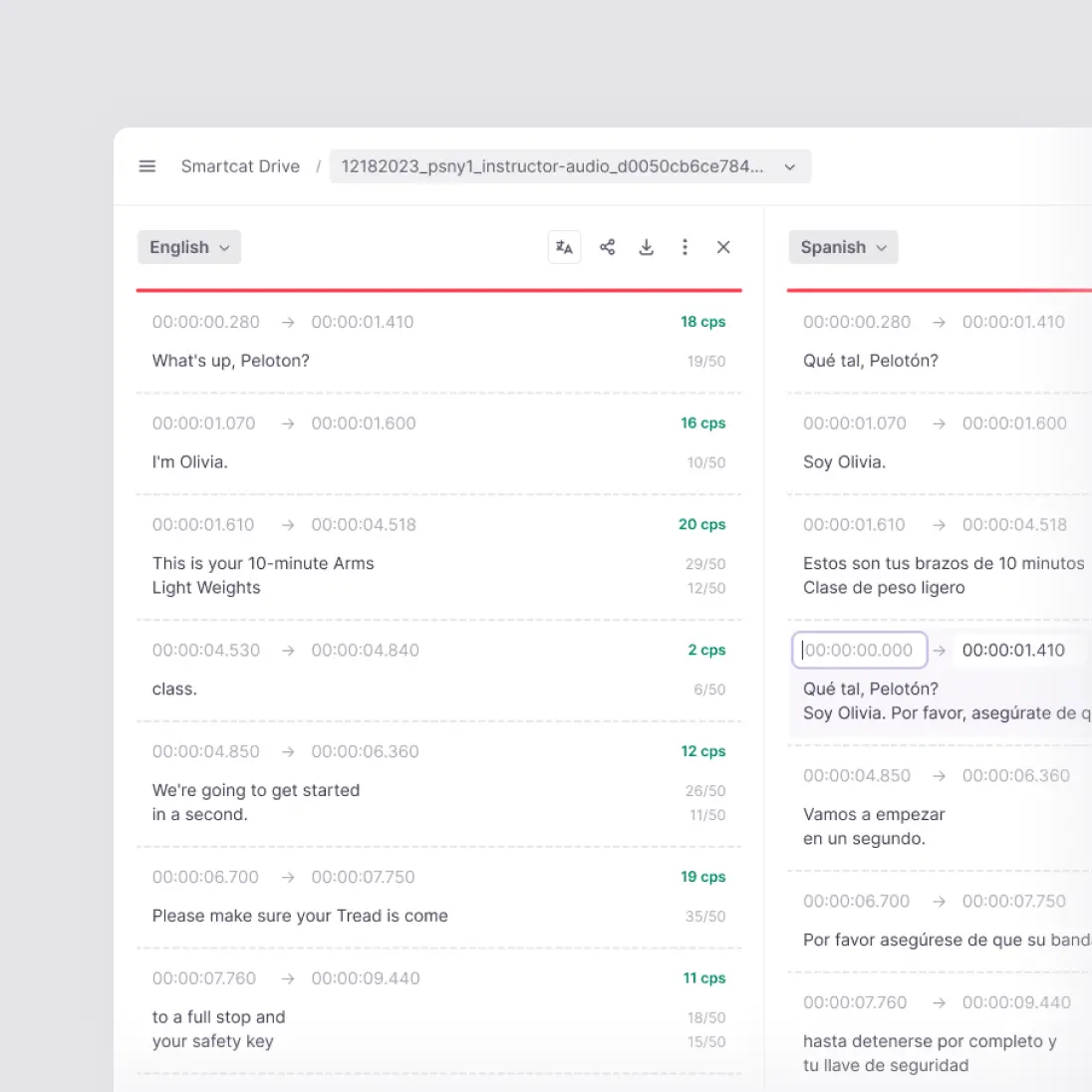
The Subtitle Editor shows characters per second and line length for each cue and flags any cue over your limits.
Each language is a separate job, and nobody watches the result before it goes live.
AI drafts all your languages at once, and reviewers approve them in the same editor with your glossary and translation memory.
Most VTT translation goes one of three ways: paste the text into a machine translator or AI chat, edit the file by hand, or translate the file in a subtitle editor. They differ in what survives and who checks it.
| Smartcat | Machine translator or AI chat | Manual edit in a text editor | |
|---|---|---|---|
| What you work on | ✓ The .vtt file, opened cue by cue | ~ Text you paste in and paste back | ✓ The raw file, line by line |
| Timecodes and header | ✓ Kept from your file | ✗ Easy to reformat or drop | ~ Kept if nobody touches them |
| Cue order and line breaks | ✓ Kept per cue; split or merge cues when you need to | ✗ Lines often merge or shift between cues | ✓ Kept, by hand |
| Reading speed and line length | ✓ Characters per second and line length shown and flagged per cue | ✗ Not checked | ~ Counted by hand |
| Terminology across videos | ✓ Glossary and translation memory applied automatically | ~ Depends on each prompt | ~ Depends on the translator |
| Languages per run | ✓ Every target language in one project | ~ One at a time | ~ One at a time |
| Review and sign-off | ✓ Your reviewers or marketplace linguists in the same editor | ✗ None built in | ~ By email and file versions |
| What you deliver | ✓ VTT, SRT or an MP4 with subtitles burned in | ~ Text you rebuild into a file | ✓ A VTT file |
✓ handled · ~ partly, or depends on the person doing it · ✗ not handled. The middle column describes general-purpose translators and AI chat tools used on pasted text, not any one product.
To translate a VTT file online, upload it to Smartcat, pick your languages, let AI draft every cue, review timing and readability, then export. That’s five steps, from upload to a file per language. The full editor reference is in the help center: Use the Smartcat Subtitle Editor.
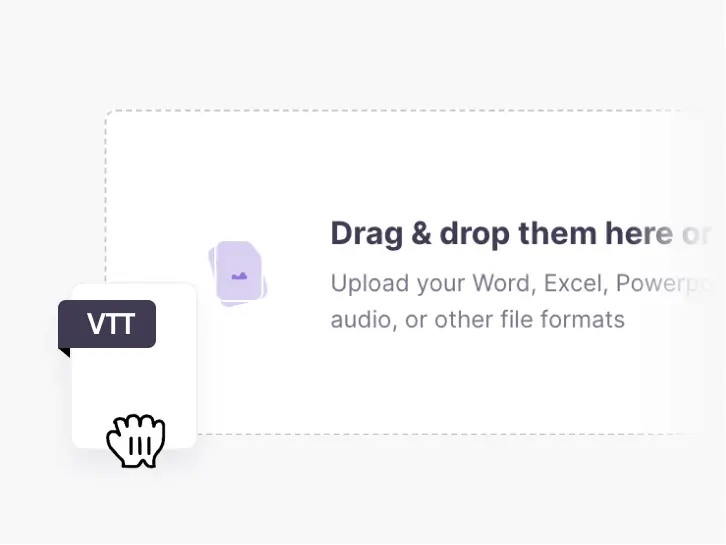
Drag a .vtt file into a Smartcat project. Each cue comes in as its own segment, with the start and end times from your file.
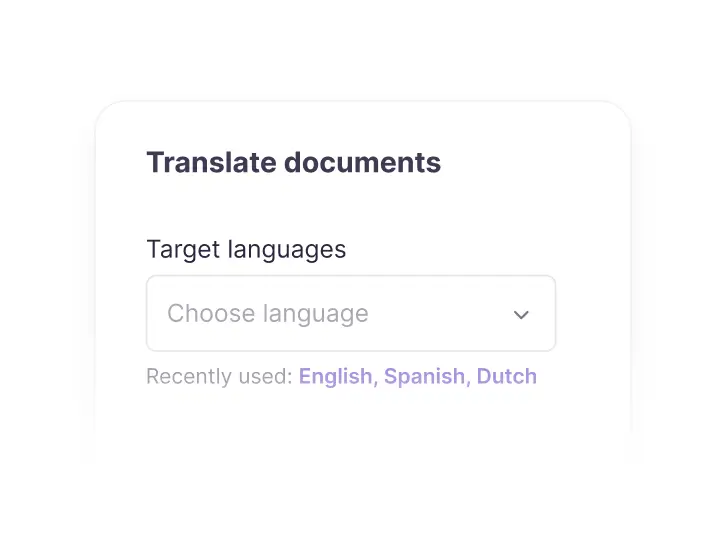
Choose every language you publish in. One file can go into 280+ languages in the same project.
AI translates every cue with your glossary and translation memory applied, so speaker, product and course names stay consistent.
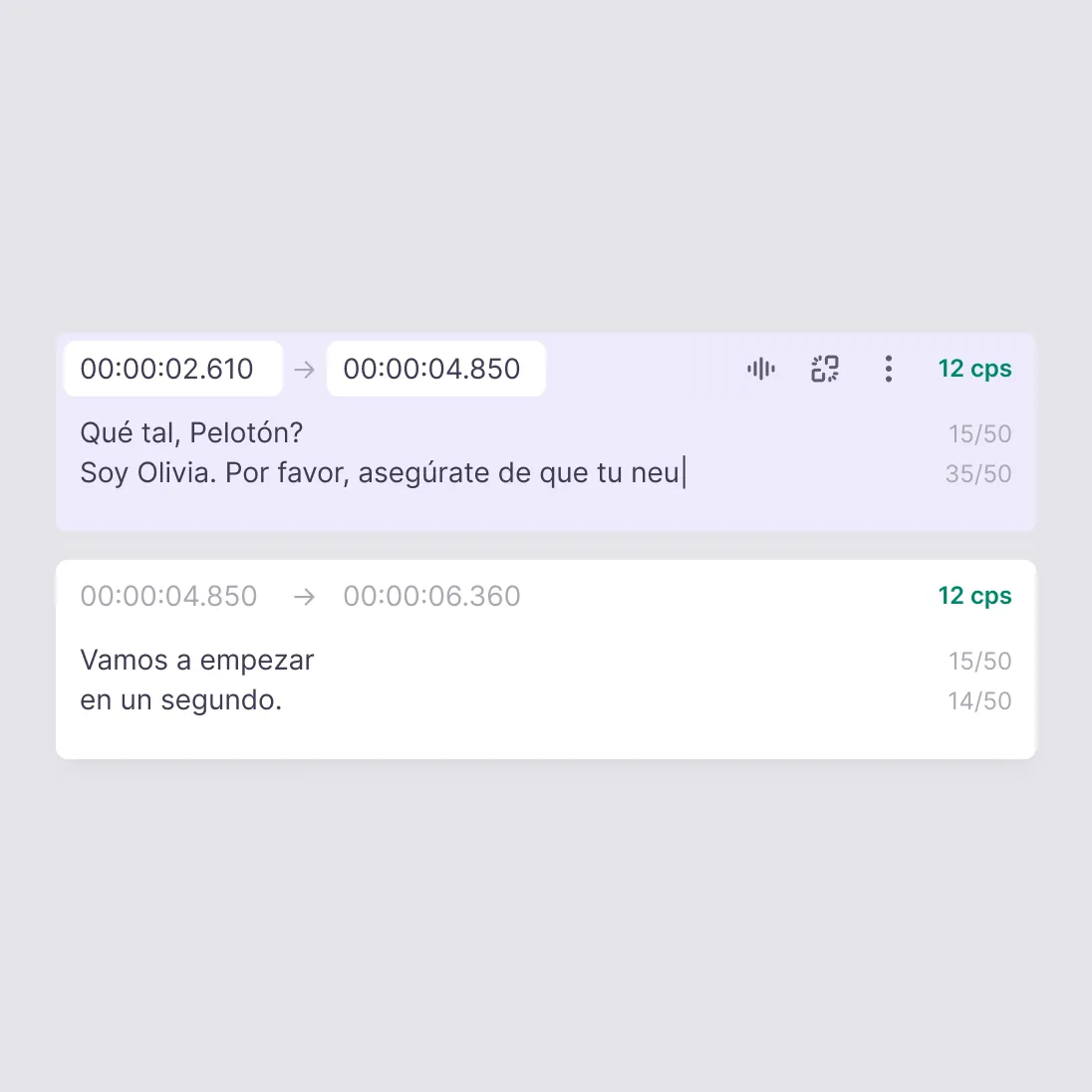
Reviewers fix any cue over your characters-per-second or line-length limits, adjust start and end times where a line needs longer, and split or merge cues.
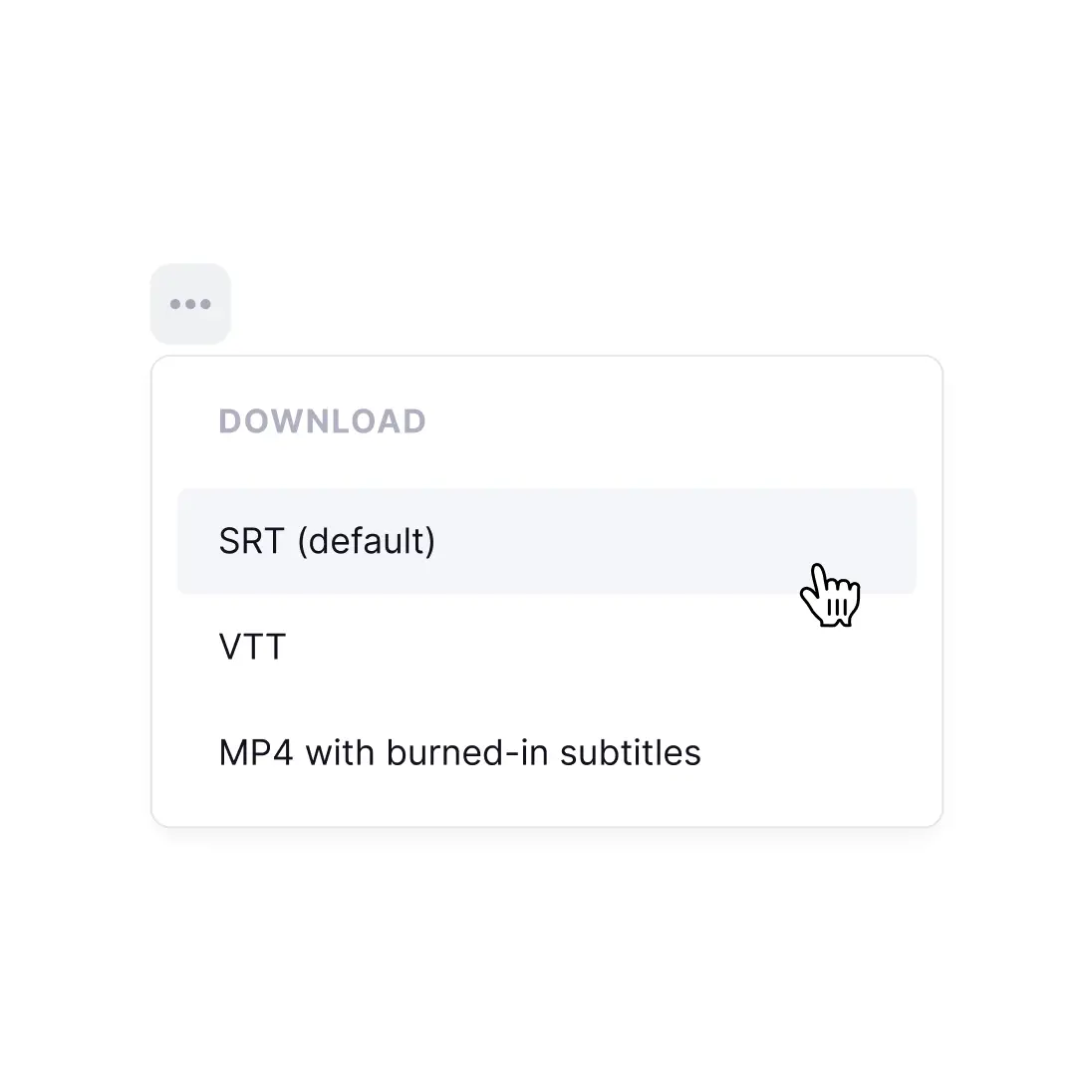
Download a VTT file per language, an SRT file for tools that need one, or an MP4 with the subtitles burned in.
Translated subtitles only work if every cue fits its time on screen. These four parts of Smartcat keep translated subtitles readable, in sync and ready to publish in every language.
Everything a VTT file can hold, what Smartcat does with it during VTT translation, and what to check before you publish.
A VTT file carries more than captions. Here is each part, what it does and whether it needs translating.
Translate it. The words viewers read are the part Smartcat translates, cue by cue, with your glossary and translation memory applied.
Keep them. Each cue keeps the start and end times from your file, in WebVTT’s hh:mm:ss.ttt format. A reviewer adjusts them only when a translation needs more time on screen.
Leave them to the player. Settings after the timecode tell the player where a cue appears: line, position, size, align and vertical text. They’re instructions, not text to translate.
Cue settings
Smartcat’s documentation covers cue text and timing. If your captions rely on positioning, check one exported file in your player first.
Plan it per output. WebVTT styles captions with a STYLE block of ::cue rules and inline tags like <b>, <i> and <c.yellow>. For burned-in subtitles, you set the font and position on the MP4 in Smartcat.
Styling in a VTT file
Chapter titles are text; metadata isn’t. A chapters track is a separate VTT file whose cues hold chapter titles, so check its translated titles in your player as you would captions. Metadata tracks carry data for scripts, often JSON, and should stay as they are.
Not caption text. <v Anna> names the speaker, NOTE blocks leave comments for editors and an identifier above the timecode names the cue. Keep speaker names consistent with a glossary entry.
Not shown as captions
Both are plain-text subtitle files with numbered or named cues and timecodes. VTT adds what web players need.
Use VTT for HTML5 players and web platforms that read a text track; use SRT for desktop video editors and players that expect it.
Smartcat exports translated subtitles as VTT or SRT, so the same approved cues can go to a web player and to a video editor without translating twice.
No VTT file yet? Create one from the video, review the cues, then translate them like any other subtitle file.
When you translate subtitles, line length changes. These checks keep every language as easy to read as the original.
Set the limits once in the editor settings, and every cue shows whether its translation fits them.
German, French or Spanish subtitles often run longer than the English. Reviewers shorten the line, split a long cue by lines or merge two short ones, and adjust the timing to match.
Glossary and translation memory carry speaker names, product terms and approved lines from one video to the next, so module 12 reads like module 1.
When a retimed cue ends after the next one starts, the editor flags the overlap so you can fix it before export, instead of finding two captions on screen at once.
Each coworker handles one step of subtitle translation, from the first draft to the final check. Your reviewers approve every language before export.
Chief of Staff
Tell your Chief of Staff which videos and languages you need subtitles for, and it coordinates the coworkers that translate and check them.
Content Translator Coworker
Translates the cue text of every subtitle file into 280+ languages with your glossary and translation memory.
Content Update Coworker
When a video is re-cut and its subtitles change, reuses approved translations so only new or changed cues need work.
Reviewer Coworker
Pre-reviews every language for fluency, tone and terminology, so your reviewers approve a strong draft instead of starting from scratch.
Quality Assurance Coworker
Checks each translated file for terminology and accuracy errors and gives it a quality score before export.
Translate scripts, captions and the pages around your videos where your team already works. See all integrations
Google Drive
Translate the scripts, decks and caption files your team keeps in Drive.
Google Docs
Translate video scripts and transcripts drafted in Docs.
Google Sheets
Keep subtitle glossaries and speaker name lists in every language.
Figma
Translate the on-screen text and thumbnails designed in Figma.
Contentful
Publish video pages and their captions in every language.
Zendesk
Translate help center videos and the articles around them.
ServiceNow
Keep internal knowledge and training content aligned across languages.
Salesforce Service Cloud
Translate service enablement and onboarding content.
WordPress
Publish multilingual video pages and resource hubs.
Sitecore
Keep portal content and embedded video aligned across locales.
Smith+Nephew translates training content for a highly regulated industry on Smartcat, with its glossaries and translation memories in one workspace. Each number below comes from the Smith+Nephew case study.
70%
less editing work
Smith+Nephew reduced editing workload by 70% after moving translation to Smartcat.
4x
faster turnaround
Turnaround fell from an average of 10 days under its previous agency to two or three days.
15–20
courses per language each quarter
Smith+Nephew now produces 15–20 online courses per language every quarter.
“We love having total visibility over our entire translation lifecycle on our Smartcat workspace due to the centralized nature of the platform and being able to gather all the linguistic assets we need, including translation memories and glossaries.”

Test one file first. Smartcat’s documentation covers translating cue text and keeping timecodes, not cue settings or STYLE blocks, so translate one file and check it in your player before you run the whole library. For a fixed look everywhere, burn styled subtitles into the MP4.
Use whichever you have. Smartcat translates SRT and VTT files the same way and exports either format, so one translation serves both.
Export an MP4 with the subtitles burned in, font and position styled in Smartcat, and keep separate VTT tracks for players that take them.
Export options
Add them to a glossary. AI applies glossary terms during translation, reviewers verify them in the editor, and every approved line goes into translation memory for the next video.
Subtitle translation often involves training and product videos that aren’t public yet. Smartcat protects that content at every step; see how on the Smartcat security page.
Role-based access controls
Set who can view, translate, review and approve projects by team, role or region on enterprise plans.
Single sign-on (SSO)
Sign in through your existing identity provider on enterprise plans.
SOC 2 Type II compliant
Smartcat is SOC 2 Type II compliant and isolates every workspace.
Never used to train public AI models
Your subtitles, scripts and videos are never used to train public AI models.
Audit trails
See who changed what and when across translation and review on enterprise plans.
Encryption and deletion on request
Content is encrypted in transit and at rest, and deleted or returned within 30 days of a written request.
Guides to the VTT and SRT formats and to localizing video from script to subtitles.
VTT translation, also called WebVTT or VTT subtitle translation, turns the captions in a .vtt file into another language, and Smartcat does it cue by cue in its Subtitle Editor. The WEBVTT header, timecodes and cue order stay intact, so the translated file plays in the same HTML5 players as the original.
Upload the .vtt file to a Smartcat project, choose your target languages and let AI translate every cue with your glossary and translation memory. Reviewers check timing, reading speed and line length in the Subtitle Editor, and you export a VTT file per language, an SRT file or an MP4 with subtitles burned in.
Smartcat suits teams that need VTT translation into several languages with review before publishing, but the best tool depends on your volume. Whichever you test, check that it keeps timecodes and cue order, shows reading speed per cue, applies a glossary across videos and exports a file your player accepts.
Yes, as a trial. Smartcat offers a 15-day free trial with 15,000 Smartwords and no credit card, which is enough to translate typical subtitle files into a few languages and test them in your player. Smartcat has no free plan; after the trial, usage is billed in Smartwords.
No. Smartcat translates the VTT file itself, keeps timecodes and cue order, and checks reading speed and line length per cue before you export. General-purpose tools work on text you paste in, not on the subtitle file, so timecodes, the WEBVTT header and line breaks are easy to break on the way back.
Smartcat translates VTT subtitles into 280+ languages, and one file can go into all of them in the same project. Each language gets its own version in the Subtitle Editor, where reviewers check it against your reading-speed and line-length limits before you export that language.
No. Smartcat keeps the start and end time of every cue from your file, so the translation plays in sync with the original. Translators and reviewers work in the same Subtitle Editor, change a cue’s timing only when a longer line needs more time on screen, and see any overlapping cues flagged.
Smartcat does this in the browser: it translates captions into 280+ languages and exports each one as an SRT or VTT file, or as an MP4 with the subtitles burned in. When you compare online subtitle translators, check that timecodes stay intact, reviewers can edit cues against the video and a glossary keeps names consistent.
Smartcat’s Subtitle Editor works on cue text and timing, and its documentation doesn’t cover cue settings, STYLE blocks or NOTE comments. They aren’t caption text, so nothing in them needs translating. If your player depends on positioning or styling, translate one file first and check it in your player before you translate the rest.
Yes. Smartcat exports translated subtitles as a VTT file, as an SRT file, or as an MP4 with the subtitles burned in, with font and position styled in Smartcat. Separate VTT and SRT files export alongside the MP4, so web players and video platforms each get the format they need.
Smartcat shows each cue’s characters per second and line length in the Subtitle Editor and flags cues over the limits you set. Settings cover maximum line size, lines per cue, minimum and maximum cue time and characters per second, so reviewers shorten, split or retime cues before export.
Yes. Smartcat applies your glossary and translation memory when AI translates each video’s subtitles, so speaker names, product terms and approved lines carry from one video to the next. Every edit a reviewer approves is saved to translation memory, so later modules and episodes start from approved wording.
Yes. Add several VTT files to one Smartcat project, choose your target languages once, and AI translates every file into every language with the same glossary and translation memory. Reviewers open each file and language in the Subtitle Editor, and you export a translated VTT or SRT file for each one.
No. Smartcat is an independent platform and is not affiliated with, endorsed by, sponsored by, or otherwise associated with Google, OpenAI, YouTube or Vimeo. All product names and trademarks on this page belong to their respective owners and are used only for identification and description.
Didn’t find your answer? Talk to a video localization specialist
Trademark notice. Smartcat is an independent platform and is not affiliated with, endorsed by, sponsored by, or otherwise associated with Google LLC, OpenAI, YouTube or Vimeo. Google Translate™ and YouTube™ are trademarks of Google LLC; ChatGPT is a trademark of OpenAI; Vimeo® is a trademark of Vimeo.com, Inc.
All product names and trademarks on this page belong to their respective owners and are used for identification only. Smartcat’s VTT support is built on the publicly documented WebVTT standard and implies no partnership or certification.
See Smartcat handle VTT translation for one of your own files, from upload to a reviewed file per language, or start a 15-day free trial with no credit card. Compare plans and Smartwords.