The course works, the LMS tracks it, and now it is needed in five more languages. Rebuilding it per language in the authoring tool is slow, and the source files are often gone.
SCORM translation means translating a course packaged to the SCORM e-learning standard so it still runs and reports in your LMS. The short answer: translate the published package, not a text export. Smartcat SCORM Studio does that without the source files. More than 80 of the world’s largest companies have chosen Smartcat.
This guide shows how to translate a published SCORM course directly: what the process looks like, which packages work without source files, how to keep LMS tracking intact, and where general machine translation fits. The examples use Smartcat and its SCORM Studio.
Key takeaways
- Translate the package, not a text export. Smartcat SCORM Studio returns the course in its original format with layout, media and interactions intact.
- No source files needed. Courses published from Captivate, iSpring Suite, Easygenerator, Absorb Create and CEGID translate without the project or a license.
- Tracking survives. Keeping the SCORM version, quiz logic and interaction IDs means completion and scores still report to your LMS.
- Machine translation is a draft. DeepL accepts SCORM packages in beta and Google Translate doesn’t; neither reviews the course in context.
- Proof at scale. Smartcat has localized more than 15,000 eLearning courses.
What’s the best way to translate SCORM packages without rebuilding the courses?
Translate the published package itself. Smartcat SCORM Studio takes the SCORM file you actually have and returns it in every language with its layout, media and interactions as they were, so there is no text export to reassemble and no authoring-tool license to renew.
Rebuilding is slow because the traditional route works on a text export: the text comes out, the context doesn’t, and someone reassembles the course by hand for every language. Working on the package keeps the course intact.
How do you translate a SCORM course into multiple languages in Smartcat?
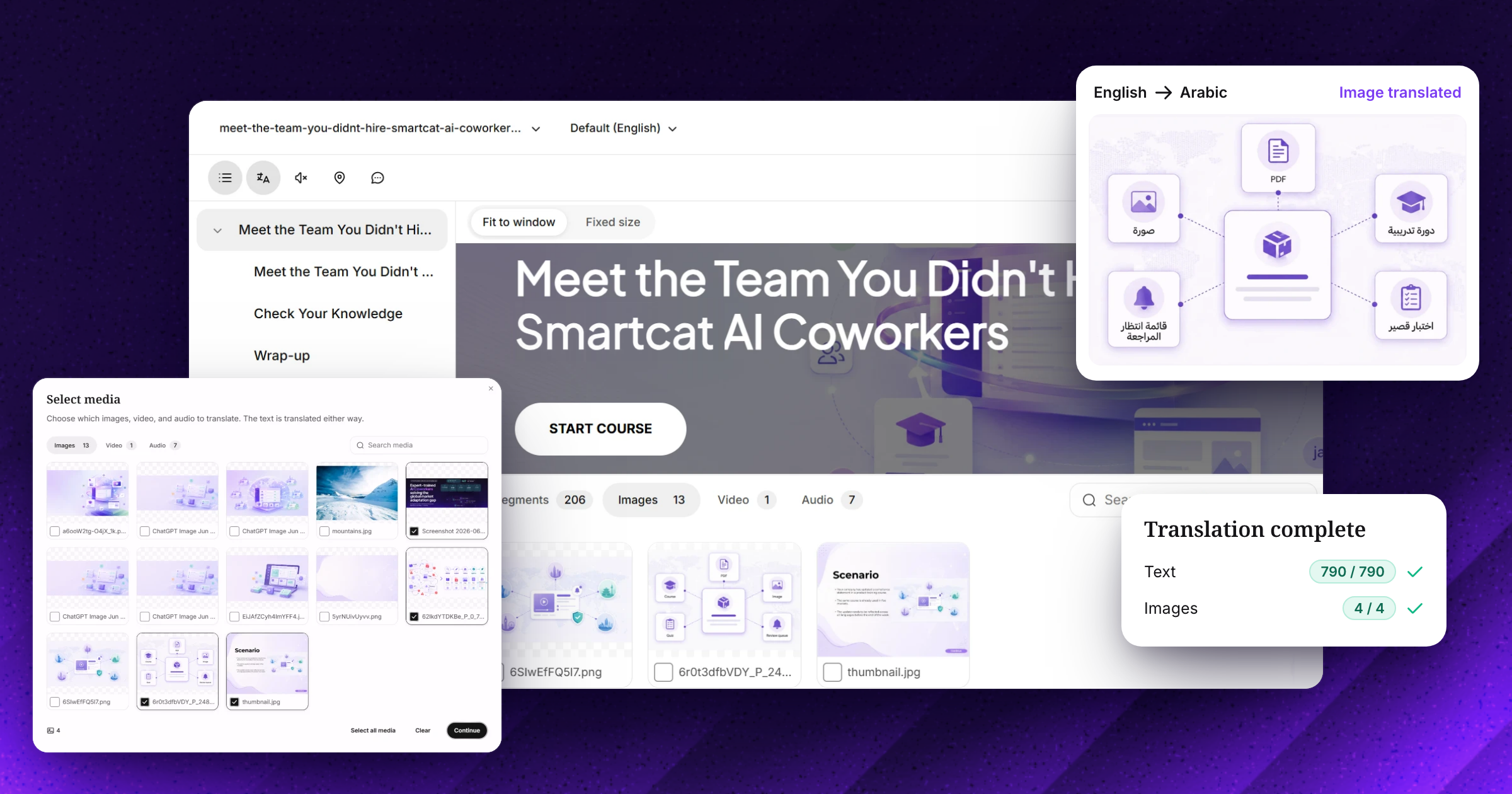
In Smartcat, upload the SCORM package, choose what to translate, translate with your glossary, review in the course and export. The whole course moves through one project, so every language comes back as a working package. Smartcat has localized more than 15,000 eLearning courses this way.
- Upload the package. Smartcat accepts SCORM 1.2 and SCORM 2004 packages.
- Choose what to translate. Smartcat finds the text, images, videos and attached files inside the package; include or skip each one.
- Translate. AI translates the course text with your glossary and translation memory applied; course video can get subtitles or AI voice-over.
- Review in the course. Reviewers check each language in a live preview, and their edits are saved to translation memory.
- Export. Download each language in the original format, one multilingual package, or a Dynamic SCORM package.
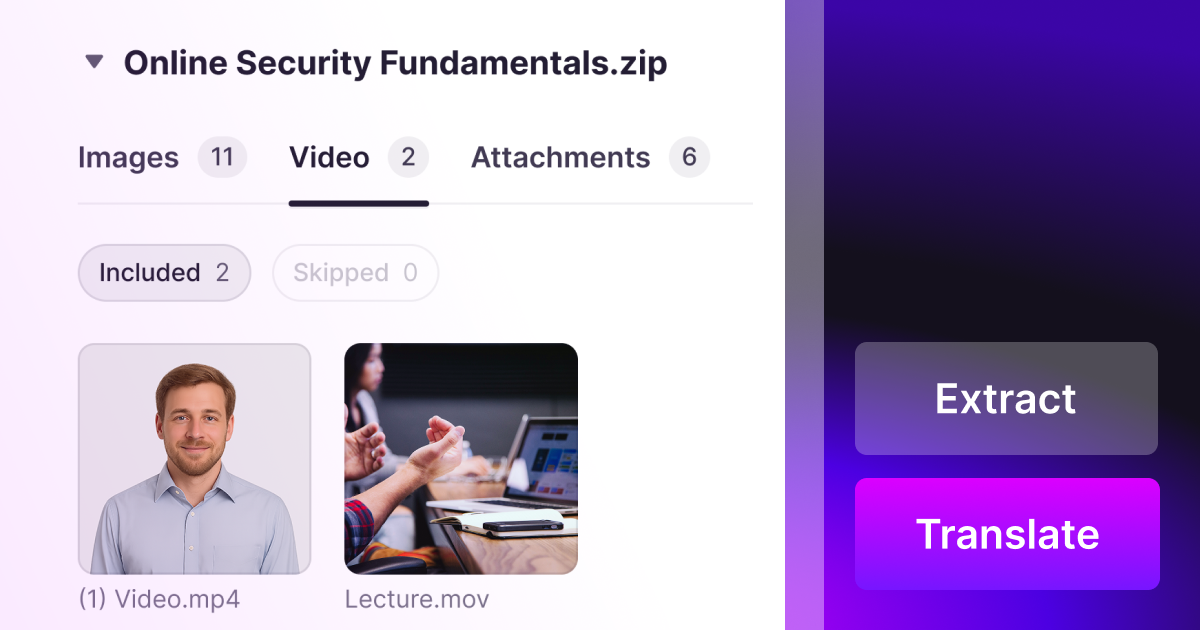
Prefer written instructions? The SCORM translation help article covers each screen, and how to translate a SCORM course explains the process in more depth.
Which SCORM courses can you translate without the source files?
With Smartcat SCORM Studio, courses published from five authoring tools, Adobe Captivate (Classic and new exports), iSpring Suite, Easygenerator, Absorb Create and CEGID (Talentsoft / e-doceo), translate without the source project or a license for the tool, including courses from tool versions nobody can open any more.
- Non-destructive: the course stays in its original format and isn’t edited, only translated.
- Media included: depending on the format, subtitles, voice-over and localized images are handled too.
- Courses from Storyline® or Rise®: use the XLIFF export when you have the project (course file translation).
“It supports almost every file format, especially SCORM files.”
Ranimartax Satuito, Learning Experience Designer, Johnson & Johnson (G2 review)
Will a translated SCORM or xAPI package work in your LMS?
A translated package works in your LMS if the translation keeps the SCORM version, quiz logic and interaction IDs of the original. Smartcat translates the package without changing its structure, so completion, scores and bookmarks report to your LMS as before.
Version matters for compatibility: SCORM 1.2, released in October 2001, is still the most widely adopted version, and the 3rd edition is the most used of the SCORM 2004 editions (Rustici Software: SCORM versions).
- Same standard: keep the SCORM version (1.2 or 2004) the original used.
- Tracking intact: quiz logic and interaction IDs must survive translation so completion and scores still report.
- Text that fits: review each language on screen; translated text often runs longer than English.
- xAPI and cmi5: check what your LMS supports; most translation tools keep the format you upload.
- Test one package first: confirm completion and scores in your LMS before translating a whole library.
Can DeepL or Google Translate handle SCORM course translation?
DeepL can produce a machine draft of a small SCORM package; Google Translate can’t open one. Neither gives you review inside the course or keeps a translation memory of approved course text, which is what a SCORM-aware platform like Smartcat adds. In Smartcat, 92% of words translated by AI are accepted without a single human edit, so reviewers fix the rest in context.
- DeepL added SCORM packages as a beta document format in September 2026, on Pro Team, Pro Business and API plans and up to 10 MB per file; DeepL notes beta formats have limits on features and quality (DeepL: file formats).
- Google Translate translates DOCX, PDF, PPTX and XLSX documents, so a SCORM course has to be taken apart and rebuilt by hand (Google Translate: translate documents).
Machine translation is a first draft. Compliance wording, text inside images, subtitles and quiz feedback still need review in the course, and the next update needs the same work again unless approved translations are reused.
Three ways to deliver translated SCORM courses
Export each language as its own package, export one multilingual package, or deliver through Dynamic SCORM. Smartcat produces all three from the same translated course; with one multilingual package, a course in 10 languages is one LMS entry instead of 10.
| Option | Best when | In the LMS |
|---|---|---|
| One package per language | Regions run separate catalogs | One entry per language |
| One multilingual package | The same course serves many languages | One entry; learners pick a language |
| Dynamic SCORM | Courses change often | One entry; approved updates without re-uploading (Smartcat: how Dynamic SCORM works) |
“I can put an e-learning course into Smartcat on Monday and have it back by Wednesday, Thursday at the latest, fully translated and ready to go.”
Michelle Quirke, Program Engagement Manager, Topcon
Try it on one of your SCORM packages
Upload a published package and get it back in your target languages, reviewed in context (SCORM translation, SCORM Studio).
Frequently asked questions
Can I translate a SCORM course without the original authoring files?
Yes, for supported tools. SCORM Studio translates published packages from Adobe Captivate, iSpring Suite, Easygenerator, Absorb Create and CEGID without the source project (SCORM Studio).
Does translation change how the course reports to the LMS?
No, if the SCORM version, quiz logic and interaction IDs are kept. Test one translated package in your LMS and confirm completion and scores report as they did in the original.
Can one SCORM package hold every language?
Yes. A multilingual package contains every language, and learners choose theirs at launch (multilingual SCORM delivery).
How do I update a translated SCORM course?
Upload the new version and let translation memory reuse every approved sentence, so only changed text is translated and reviewed. Dynamic SCORM delivers the update without a re-upload (keeping translated courses current).
Is Smartcat affiliated with the companies named in this guide?
No. Smartcat is an independent platform and is not affiliated with, endorsed by, sponsored by or otherwise associated with any company or product named in this guide. All product names and trademarks are the property of their respective owners and are used solely for identification and comparison.
Related guides
Sources
- DeepL: file formats
- Google Translate: translate documents
- Rustici Software: SCORM versions
- Smartcat: how Dynamic SCORM works

Maksym Ostapenko · Head of Product Growth, Smartcat
Maksym Ostapenko is Head of Product Growth at Smartcat, where he works on AI translation workflows, eLearning and enterprise localization. He writes about translation technology and localization operations from hands-on product experience.
Articulate®, Rise® and Storyline® are trademarks of Articulate Global, LLC. All other product names are trademarks of their respective owners. Smartcat is not affiliated with, endorsed by or sponsored by any company named in this guide; names are used solely for identification and comparison.