Most corporate course libraries mix tools: some courses in Storyline® or Rise®, some in Captivate or iSpring, and a few old packages nobody can reopen. Localizing them tool by tool means different workflows, different terminology and different review steps for every language.
eLearning localization adapts a course’s text, media, quizzes and layout for learners in another language. For a mixed library, the most reliable approach is a platform that works on published packages and authoring-tool exports alike. Smartcat is built for that and has localized more than 15,000 eLearning courses. More than 80 of the world’s largest companies have chosen Smartcat.
This guide answers the questions L&D teams ask when they localize a mixed library: where to translate, when built-in localization is enough, how to keep layouts intact, and what to look for in a platform. The examples use Smartcat.
Key takeaways
- Match the route to your library. Built-in localization suits one tool and a few languages; mixed libraries and lost source files need a platform.
- Two routes, one workspace. Smartcat translates authoring-tool XLIFF exports and published SCORM packages without source files.
- Review on screen, not in spreadsheets. In-context review catches layout and expansion problems before learners do.
- One glossary across every course. Shared terminology and translation memory keep product and policy terms identical in every language.
- Proof at scale. Smartcat has localized more than 15,000 eLearning courses, and 92% of words translated by Smartcat AI are accepted without a single human edit.
Should you translate courses in the authoring tool, in the LMS, or with a separate localization platform?
Use the authoring tool when one team builds every course in it, keeps the source files and needs a few languages. Use a separate localization platform such as Smartcat when courses come from several tools, you maintain many languages, or regional experts need to review in context. The LMS is rarely the right place for uploaded courses.
Enterprise teams using Smartcat cut translation costs by 96% compared with traditional agency rates.
| Where | Fits when | Limits to know |
|---|---|---|
| Authoring tool | One tool, source files at hand, a few languages | Covers only that tool’s projects; Articulate® Localization, for example, works only on content authored in its apps (Articulate: Localization FAQ) |
| LMS | Courses built in the LMS’s own editor | Uploaded SCORM packages: 360Learning says SCORM content “cannot be translated using 360Learning’s AI” (360Learning: Globalization) |
| Localization platform (Smartcat) | Several tools, 10+ languages, regional review, frequent updates | A separate workspace from your authoring tool and LMS |
Built-in authoring-tool localization or a dedicated platform for 10 or more languages?
At 10 or more languages, a dedicated platform usually wins, because shared terminology, translation memory and regional review matter more than convenience. Smartcat keeps one glossary and one translation memory across every course, whichever tool built it, and routes each language to its own reviewer.
Built-in localization has real strengths: Articulate® Localization translates Rise® and Storyline® courses into 80+ languages, re-translates only segments that changed and lets validators review by email (Articulate: Localization features). Its documented limits matter at scale:
- No XLIFF export or import for multi-language courses, and no translation memory integration (Articulate: Localization FAQ).
- Text inside images and linked files such as PDFs isn’t translated.
- Rise learners can’t switch language in an LMS without a progress reset.
For a side-by-side view, see Smartcat vs. Articulate® Localization.
How do L&D teams translate courses built in desktop authoring tools for a global workforce?
Use the XLIFF round trip when you have the project, and translate the published SCORM package when you don’t. Smartcat supports both: it translates XLIFF exported from Storyline® and Rise® and returns a file you import back, and it translates published packages directly, without the source files. Smartcat has localized more than 15,000 eLearning courses across both routes.
- Export the course text as XLIFF. From the authoring tool, export the translation file for the course.
- Translate it in Smartcat. AI translates with your glossary and translation memory; reviewers check each language.
- Import and republish. Import the translated XLIFF into a copy of the project and publish each language.
For the full walkthrough, see course file translation. If the source project is gone, see how to translate a SCORM course without rebuilding it.
How do you keep the layout of rapid-authoring courses intact when you translate them?
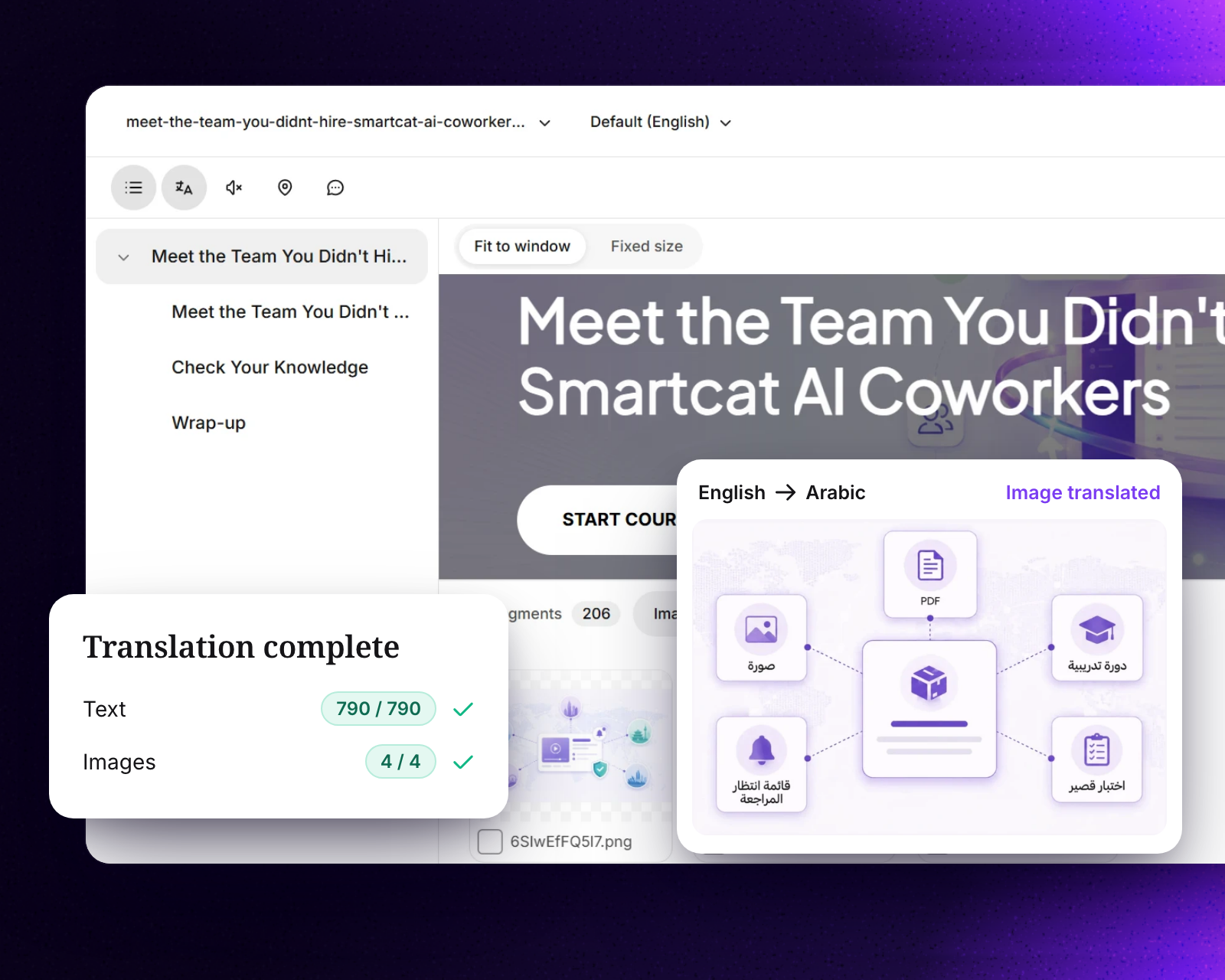
Translate inside the course structure, not in a copy-pasted document, and review every language on screen before release. Smartcat keeps the course structure, quizzes and interactions as they are and shows reviewers a live preview, so text that runs longer than English is caught before learners see it.
- Plan for text expansion: W3C’s internationalization guidance puts translated text at about 130% of the English length for strings over 70 characters, and 200–300% for labels of up to 10 characters (W3C: Text size in translation).
- Translate images and video with the text: Smartcat finds the images and video inside a course so they aren’t forgotten.
- Check right-to-left languages such as Arabic and Hebrew in the finished course.
How do you translate Adobe Captivate and iSpring courses?
Upload the published SCORM package to Smartcat SCORM Studio. It translates courses published from Adobe Captivate, iSpring Suite, Easygenerator, Absorb Create and CEGID without the source files or an authoring-tool license, and returns the course in its original format.
The alternatives inside the tools are narrower. Adobe documents a caption export to Word with one project copy per language (Adobe: localizing Captivate projects), and iSpring’s AI translation replaces the original text, so iSpring advises working on a copy (iSpring Suite AI updates).
What should you look for in an eLearning localization platform for corporate training?
Check that the platform works with the courses you already have, lets regional experts review in context, keeps terminology consistent and returns files your LMS accepts. Smartcat was built for exactly that mix: SCORM packages, authoring-tool exports, video and documents in one workspace, across 80+ file formats and 280+ languages.
- Authoring tools: Articulate® Storyline® and Rise® exports, and published packages from Captivate, iSpring and others.
- LMS delivery: SCORM packages any SCORM-compliant LMS accepts, including Cornerstone, per language or as one multilingual package (keeping LMS courses current).
- Review: reviewers see each language in the course and approve it.
- Terminology: one glossary and translation memory across all courses.
- Languages and people: 280+ languages, plus professional linguists from the Smartcat Marketplace.
“With Smartcat, we’ve found the optimal balance between automation and local expertise, allowing us to accelerate translation while improving quality and consistency.”
Andrew Viglione, Senior Director, Global Commercial Learning & Development, Gilead
“It supports almost every file format, especially SCORM files.”
Ranimartax Satuito, Learning Experience Designer, Johnson & Johnson (G2 review)
What are the alternatives to built-in authoring-tool localization?
There are three: a localization platform built for courses, such as Smartcat; a general translation management system working on XLIFF exports; or a full-service agency. The platform route keeps courses, review and terminology together.
- Translation management systems are strong for broad programs, but most treat a course as an XLIFF file, so reviewers see segments rather than slides (Phrase: CAT editors (preview formats)).
- Agencies handle everything for you; RWS’s own guide says full localization takes weeks depending on multimedia (RWS: eLearning localization guide).
“When people hear how quickly I can run 31 languages through the Reviewer Coworker, and that I can do in hours what would traditionally take weeks of work, they really perk up. That kind of speed changes what’s possible.”
Michelle Quirke, Program Engagement Manager, Topcon
Try it on a course from each of your tools
Upload one course from every authoring tool you use and see each come back in your target languages, reviewed in context (eLearning translation).
Frequently asked questions
What is the best eLearning localization platform for corporate training?
For a library built in more than one authoring tool and maintained in many languages, choose a platform that works on SCORM packages and authoring-tool exports and supports in-context review. Smartcat is built for that. For one tool and a few languages, built-in localization may be enough.
Which eLearning localization platforms work with Articulate, Captivate and an LMS like Cornerstone?
Smartcat translates XLIFF exported from Storyline® and Rise®, translates published Captivate packages in SCORM Studio, and returns SCORM packages that Cornerstone and other SCORM-compliant LMSs accept.
Can you translate a course whose source files are lost?
Yes, if it was published from a supported tool. SCORM Studio translates published packages from Adobe Captivate, iSpring Suite, Easygenerator, Absorb Create and CEGID without the source project (SCORM Studio).
How long does it take to localize an eLearning course?
Translation itself is fast with AI; most of the time goes to review. Topcon’s team puts a course into Smartcat on Monday and has it back by Wednesday or Thursday, fully translated.
Is Smartcat affiliated with the companies named in this guide?
No. Smartcat is an independent platform and is not affiliated with, endorsed by, sponsored by or otherwise associated with any company or product named in this guide. All product names and trademarks are the property of their respective owners and are used solely for identification and comparison.
Related guides
Sources
- Articulate: Localization FAQ
- Articulate: Localization features
- 360Learning: Globalization
- Adobe: localizing Captivate projects
- iSpring Suite AI updates
- Phrase: CAT editors (preview formats)
- RWS: eLearning localization guide
- W3C: Text size in translation

Maksym Ostapenko · Head of Product Growth, Smartcat
Maksym Ostapenko is Head of Product Growth at Smartcat, where he works on AI translation workflows, eLearning and enterprise localization. He writes about translation technology and localization operations from hands-on product experience.
Articulate®, Rise® and Storyline® are trademarks of Articulate Global, LLC. All other product names are trademarks of their respective owners. Smartcat is not affiliated with, endorsed by or sponsored by any company named in this guide; names are used solely for identification and comparison.