AI Voiceover Timing and Regeneration
The Subtitle Editor's timeline now shows the actual duration of each generated AI voiceover cue, not just the subtitle's boundaries, so…
Pronunciation Control lets users fix how Smartcat's AI voices say brand names, product names, and industry terms without editing the visible subtitle text underneath. When a project opens in the Subtitle Editor, Smartcat automatically scans the text, identifies words that typically need pronunciation guidance — proper names, abbreviations, numbers, special characters, and glossary terms — and applies a suggested pronunciation automatically, highlighting each fix in green.
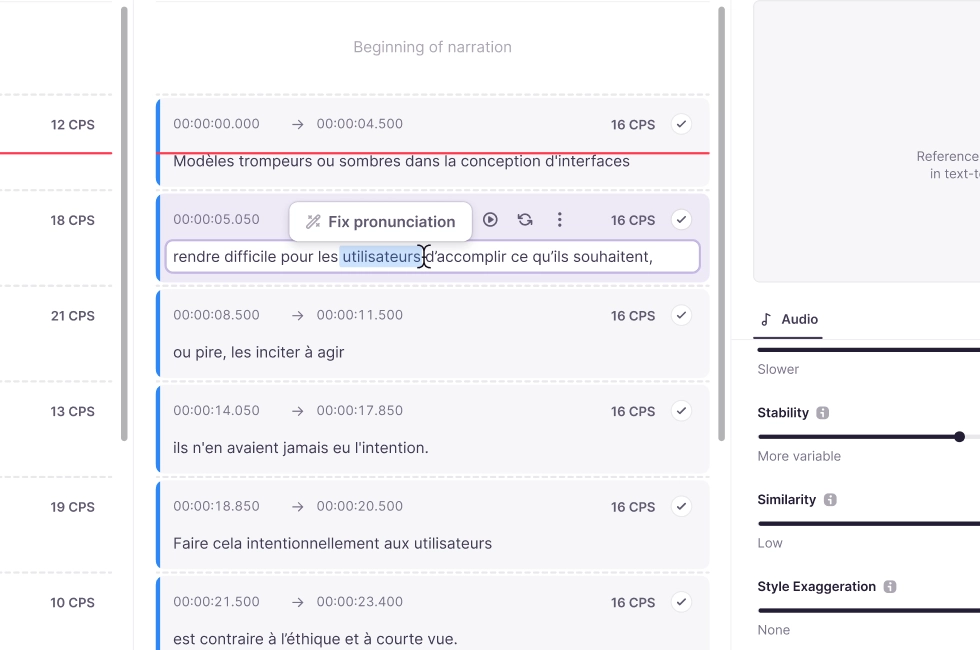
For anything the automatic pass misses, users can select a word and click Fix Pronunciation, adjust its phonetic transliteration or stress, or record their own reference pronunciation with Say Your Way. Corrections can apply to a single instance, every instance of the term in the file, or be saved to a glossary so they're reused automatically in future projects.
To learn more in our Pronunciation Control help center article.