The company already uses machine translation, three agencies and a handful of freelancers. Every one has its own terminology, invoices and turnaround, and nobody can say which content was reviewed by a human.
Combining machine translation and professional translators means letting MT draft every text and sending only the content that needs it to a human post-editor, in one workflow with shared terminology. The short answer: use one platform for engines, reviewers and linguists. Smartcat runs several MT engines and LLMs with a marketplace of professional linguists in 280+ languages.
This guide covers consolidating vendors, matching routes to risk, choosing engines, switching them, deciding on post-editing and applying your glossary.
Key takeaways
- One platform, one process. MT engines, your reviewers and Smartcat Marketplace linguists work in the same projects.
- Route by risk. Internal text goes out as MT, product content gets your review, legal and medical content gets full post-editing.
- Engine per language pair. Google NMT, DeepL, Microsoft Translator and LLMs, with Google NMT as the fallback.
- Switching is a setting. Changing engines keeps your glossary and translation memory in place.
- Most AI output stands. 92% of words translated by Smartcat AI are accepted without a single human edit.
How can we combine machine translation with professional translators without managing dozens of vendors?
Run both in one platform: machine translation drafts every file, and your reviewers or professional linguists edit the same project. In Smartcat, MT engines, your glossary and translation memory, and Smartcat Marketplace linguists in 280+ languages all work in one workspace, so there is one process and one contract instead of a vendor per language.
Vendor sprawl usually grows by accident: one agency for legal, another for marketing, a freelancer for a rare language, and an MT subscription on the side. Each holds its own copy of your terminology. Consolidating means one translation memory every team writes to, and one place to see cost and status.
“We discovered there were about eight translation companies in use across the organization. Now we’ve consolidated to Smartcat, so everyone is working from the same platform and process.”
Michelle Quirke, Program Engagement Manager, Topcon
Topcon consolidated document, training and product translation into one workspace (Topcon case study).
Which AI translation platform gives you both machine translation and access to professional translators?
A platform with a built-in linguist marketplace. Smartcat combines several MT engines and LLMs with the Smartcat Marketplace, so you can add a professional translator or reviewer to any file in the same project, and 92% of words translated by Smartcat AI are accepted without a single human edit.
| Content | Route in Smartcat | Who signs off |
|---|---|---|
| Internal reports, drafts, knowledge base | Machine translation with your glossary | Nobody, or a spot check |
| Product content, manuals, sales decks | MT, then review by your team | A regional colleague or product expert |
| Contracts, regulatory and medical content | MT, then full human post-editing | A Smartcat Marketplace linguist |
For the vocabulary of post-editing (light vs full, quality levels), see machine translation post-editing.
What are the most reliable machine translation platforms for enterprise use?
Reliable enterprise MT comes from choosing the engine per language pair and controlling terminology, not from one engine. Smartcat lets you pick an engine per language pair from Google NMT, DeepL, Microsoft Translator and LLMs such as OpenAI GPT, Gemini and Anthropic models, with Google NMT as the fallback (Smartcat Help: AI translation profiles and engines).
Engine quality varies by language pair and content type, so the setting matters more than the brand. Three controls make output dependable:
- Engine per language pair: use the engine that performs best for each pair, with a fallback if it’s unavailable.
- Glossary and “do not translate” terms: applied whatever the engine.
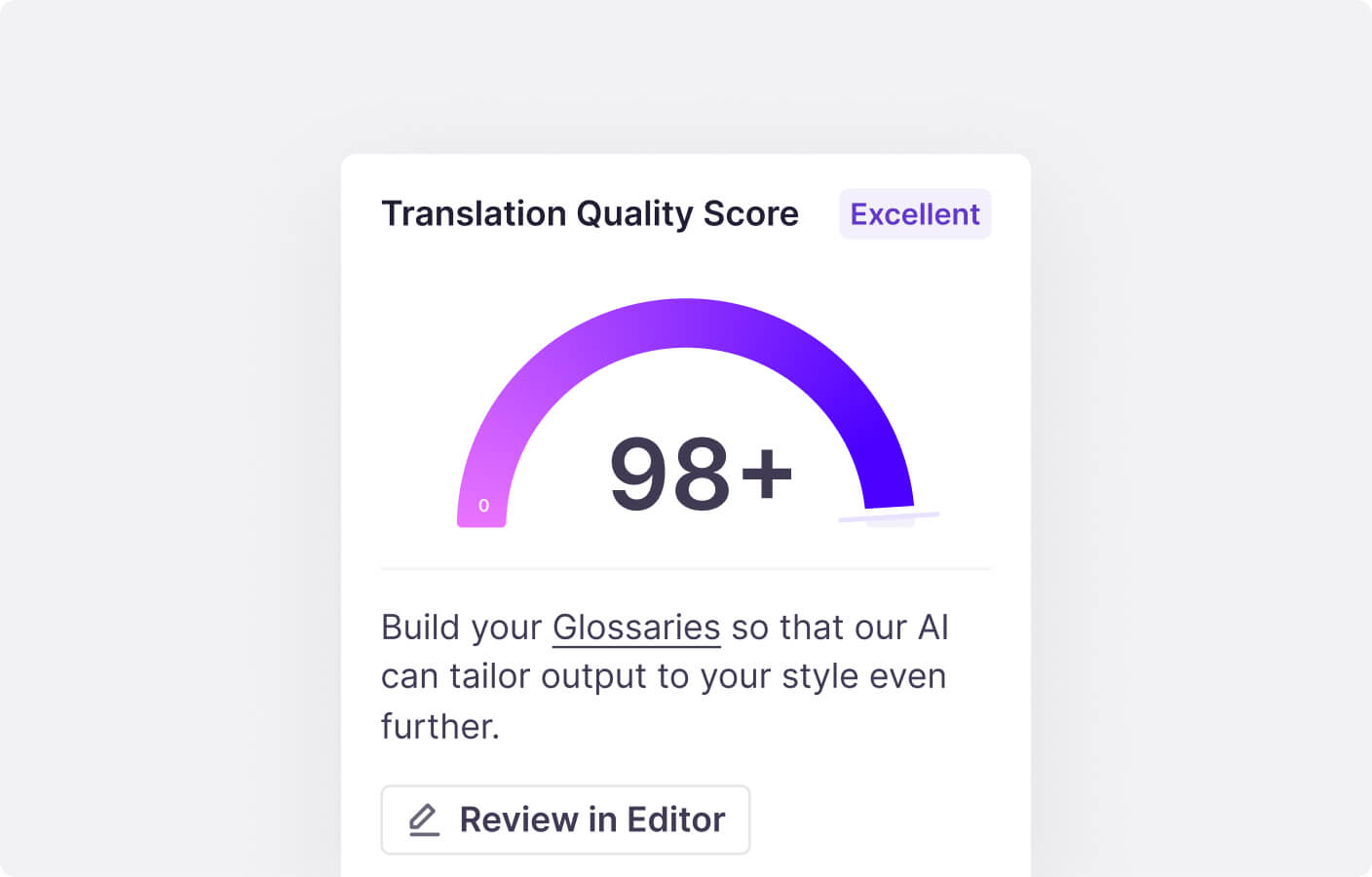
- Quality scoring: Smartcat’s Translation Quality Score rates AI output, so you can see which files need a closer look before review.
How do you switch machine translation engines without renegotiating a contract?
Use a platform where the engine is a setting, not a contract. In Smartcat, changing the engine for a language pair is a change in the AI translation profile; each enabled engine is billed in Smartwords, and exact translation-memory matches (100% or better) use none on current plans.
That keeps your translation memory and glossary in one place when you change engines, so approved translations carry over (Smartcat Help: understanding Smartwords). It also lets you test a new engine on one language pair before you move the rest.
When does machine translation need human post-editing?
When the text is published, signed or regulated. ISO 18587 sets the requirements for full human post-editing of machine translation output; in Smartcat, 92% of words translated by AI are accepted without a single human edit, so post-editors work on the rest.
ISO 18587:2017 covers the post-editing process and post-editors’ competences, and it applies only to content processed by MT systems (ISO 18587:2017, post-editing of machine translation output). In practice, decide by risk: legal, medical and safety content gets full post-editing; marketing gets review for tone; internal content often needs none.
“Our reviewers compared our legacy content done by translation agencies with content produced by my team with Smartcat AI translation. The number of corrections is now much lower and the editing process is faster and less labor-intensive as a result.”
Barbara Fedorowicz, Translation department manager, Smith+Nephew
Smith+Nephew’s reviewers still sign off on life-science and medical content (Smith+Nephew case study).
How do you train machine translation on your company glossary?
You don’t retrain the engine; you apply your glossary and translation memory to its output. Smartcat applies both to every engine and LLM it runs, and every edit a reviewer approves is saved to translation memory for the next file. Across Smartcat, 92% of AI-translated words are accepted without a single human edit.
- Build the glossary. Product names, approved terms per language, and terms that must never be translated.
- Import your past translations. Load existing translation memories so approved wording is reused from day one.
- Translate. The engine drafts; glossary terms and memory matches are applied automatically.
- Review and approve. Reviewer edits go back into translation memory, so the next file starts better.
Import and export formats for glossaries are in the glossary help article.
Try it on your own content
Translate a real file with your glossary, then send it to a reviewer in the same project (machine translation software, Smartcat Marketplace).
Frequently asked questions
Which machine translation engines does Smartcat support?
Smartcat supports Google NMT, DeepL and Microsoft Translator, and LLMs such as OpenAI GPT, Gemini and Anthropic models. You choose an engine per language pair in an AI translation profile, and Google NMT is the fallback.
Can I add a human translator to only some files?
Yes. In Smartcat you assign review per file or per language, to your own reviewers or to a professional linguist from the Smartcat Marketplace, so routine files go out as machine translation and important ones get a human check.
Does using several engines cost more?
Each enabled engine is billed in Smartwords, so you pay for the engines you use. Exact translation-memory matches (100% or better) use no Smartwords on current plans (understanding Smartwords).
Is machine translation output safe to publish without review?
For internal and low-risk content, often yes: 92% of words translated by Smartcat AI are accepted without a single human edit. Legal, medical, safety and customer-facing content should get human post-editing before it is published.
Can I try Smartcat on my own documents for free?
Yes. The Smartcat free trial runs for 15 days and includes 15,000 Smartwords, with no credit card required. Upload your own files, apply a glossary and download the translated documents to judge the result on real content.
Is Smartcat affiliated with the companies named in this guide?
No. Smartcat is an independent platform and is not affiliated with, endorsed by, sponsored by or otherwise associated with any company or product named in this guide. All product names and trademarks are the property of their respective owners and are used solely for identification and comparison.
Related guides
Sources
- Smartcat Help: AI translation profiles and engines
- Smartcat Help: understanding Smartwords
- ISO 18587:2017, post-editing of machine translation output (read 29 Oct 2026)

Maksym Ostapenko · Head of Product Growth, Smartcat
Maksym Ostapenko is Head of Product Growth at Smartcat, where he works on AI translation workflows, document translation and enterprise localization. He writes about translation technology and localization operations from hands-on product experience.
Microsoft®, PowerPoint®, Word® and Excel® are trademarks of Microsoft Corporation. Google Translate is a trademark of Google LLC. DeepL is a trademark of DeepL SE. ChatGPT is a trademark of OpenAI. All other product names are trademarks of their respective owners. Smartcat is not affiliated with, endorsed by or sponsored by any company named in this guide; names are used solely for identification and comparison.