AI has made the first draft of a course fast. For corporate L&D teams, the harder part comes after: getting experts to approve it, making sure it runs in the LMS, and rolling it out in every language employees speak.
The short answer: build the course from your existing documents with AI, have an expert review it once, then translate the approved version and export SCORM for every language. Smartcat does all of that in one workspace. More than 80 of the world’s largest companies have chosen Smartcat.
This guide walks through creating SCORM courses from the material you already have and turning them into multilingual courses in one workflow. The examples use Smartcat, where course creation, review, translation and SCORM export happen in one workspace.
Key takeaways
- Start from your material. Smartcat builds lessons and quizzes from the decks, documents, PDFs and video your teams already have.
- Review once, then translate. Approving the course in one language before translation stops errors being copied into every language.
- SCORM out, every language. Export SCORM per language or one multilingual package your LMS can run.
- Video without re-recording. Video lessons start as reviewed scripts, so they can be translated like the rest of the course.
- Proof at scale. Smartcat has localized more than 15,000 eLearning courses into 280+ languages.
What are the best tools for creating SCORM-compliant courses in multiple languages for employees?
Look for a tool that builds the course from your own material, lets experts review it, translates the approved version with your terminology and exports SCORM for every language. Smartcat does all four in one workspace; many AI course creators stop at the first language and leave translation to another tool.
That gap shows in vendor documentation as of October 2026: Coursebox translates an existing course one page at a time (Coursebox: translating an existing course), and the AI generator in Create (formerly Elucidat) produces English content only (Confirm: generating a project with AI (formerly Elucidat)). Smartcat has localized more than 15,000 eLearning courses into 280+ languages.
- Source material in: decks, documents, PDFs and video your teams already have.
- Standards out: SCORM 1.2 or SCORM 2004 that your LMS accepts.
- Interactivity: quizzes and interactions you can edit.
- Expert review: comments on the draft and approval of each language.
- Languages: translation of the finished course with a glossary, exported per language or as one multilingual package.
For a broader comparison of authoring tools, see the eLearning authoring tools comparison on our blog.
How do you turn a PDF, Word file or slide deck into a SCORM course in every language?
Upload the material, set the audience and learning goals, let AI draft the course, have an expert review it once, then translate the approved course and export SCORM. In Smartcat, the Content Creator Coworker drafts the outline, lessons and quizzes from your files.
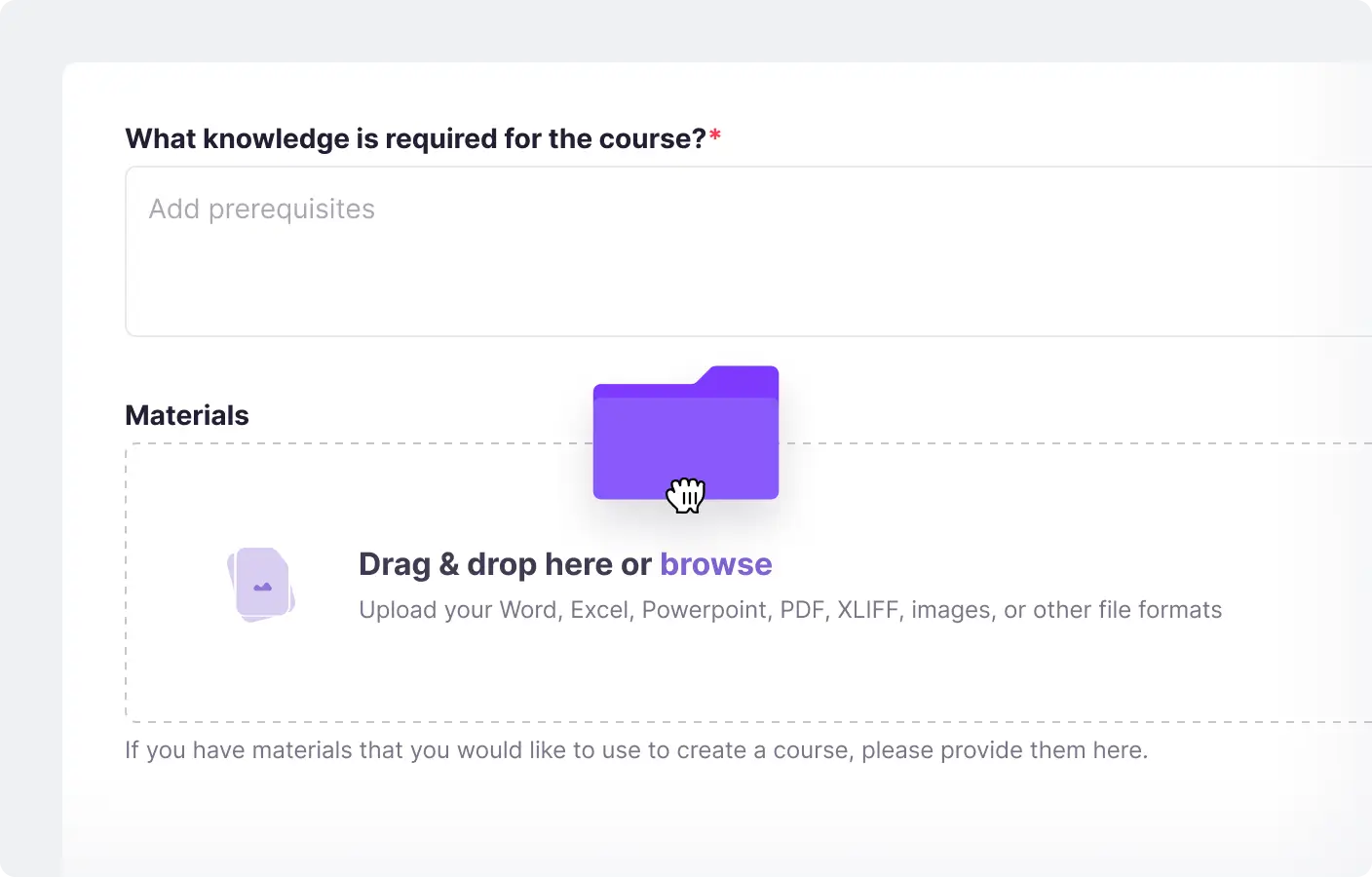
- Upload your material. Add the PowerPoint decks, Word documents, PDFs or video the course should be built from.
- Set the audience and goals. Describe who the course is for and what they should be able to do afterwards.
- Let AI draft the course. The Content Creator Coworker builds the outline, lessons and quizzes.
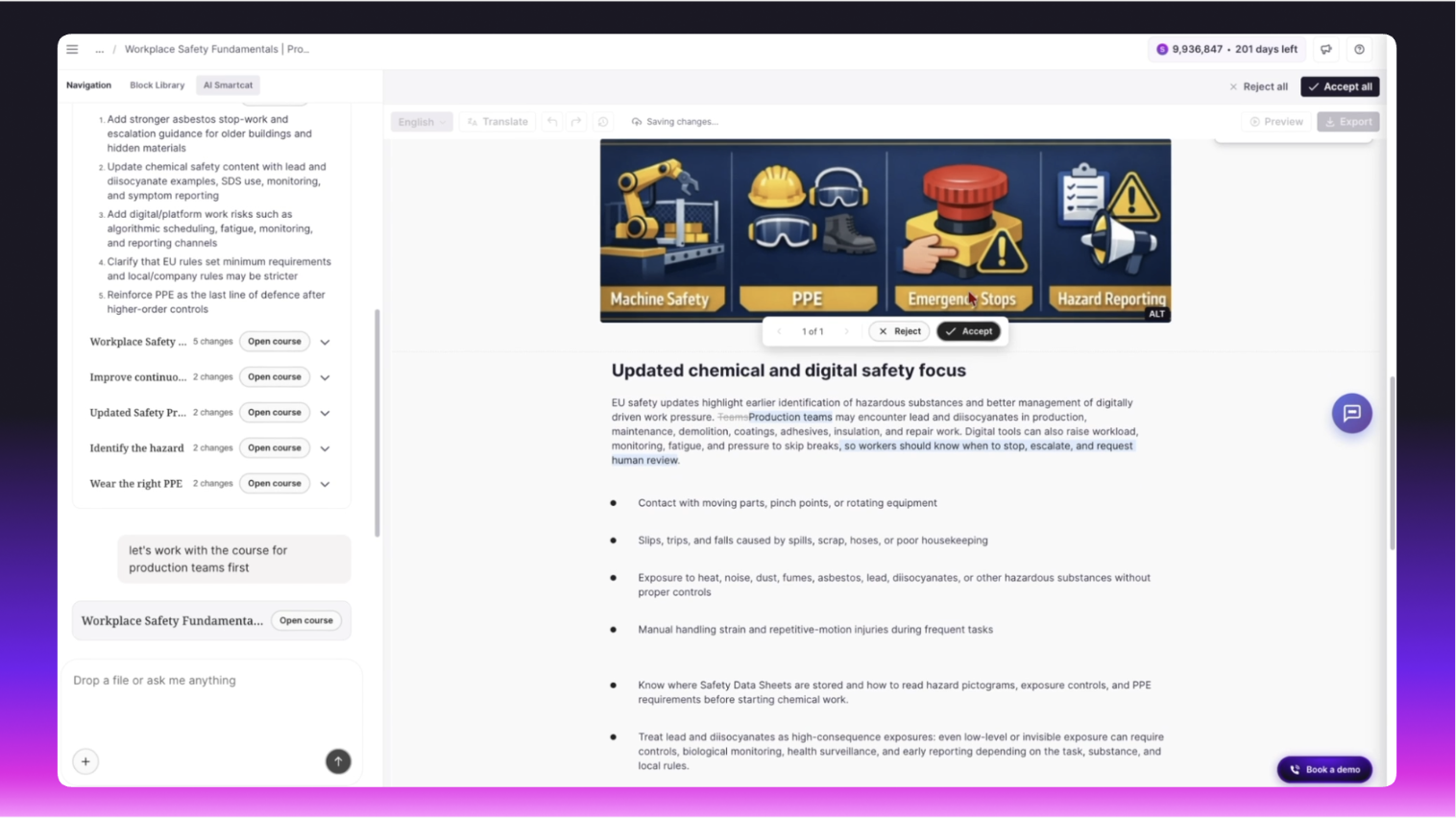
- Review once, in one language. Subject-matter experts comment in the course editor; you accept or reject AI-suggested changes.
- Translate the approved course. Translate into 280+ languages with your glossary, and review each language in context.
- Export for your LMS. Publish SCORM packages per language or one multilingual package (SCORM course builder).
What can AI create for a corporate training course?
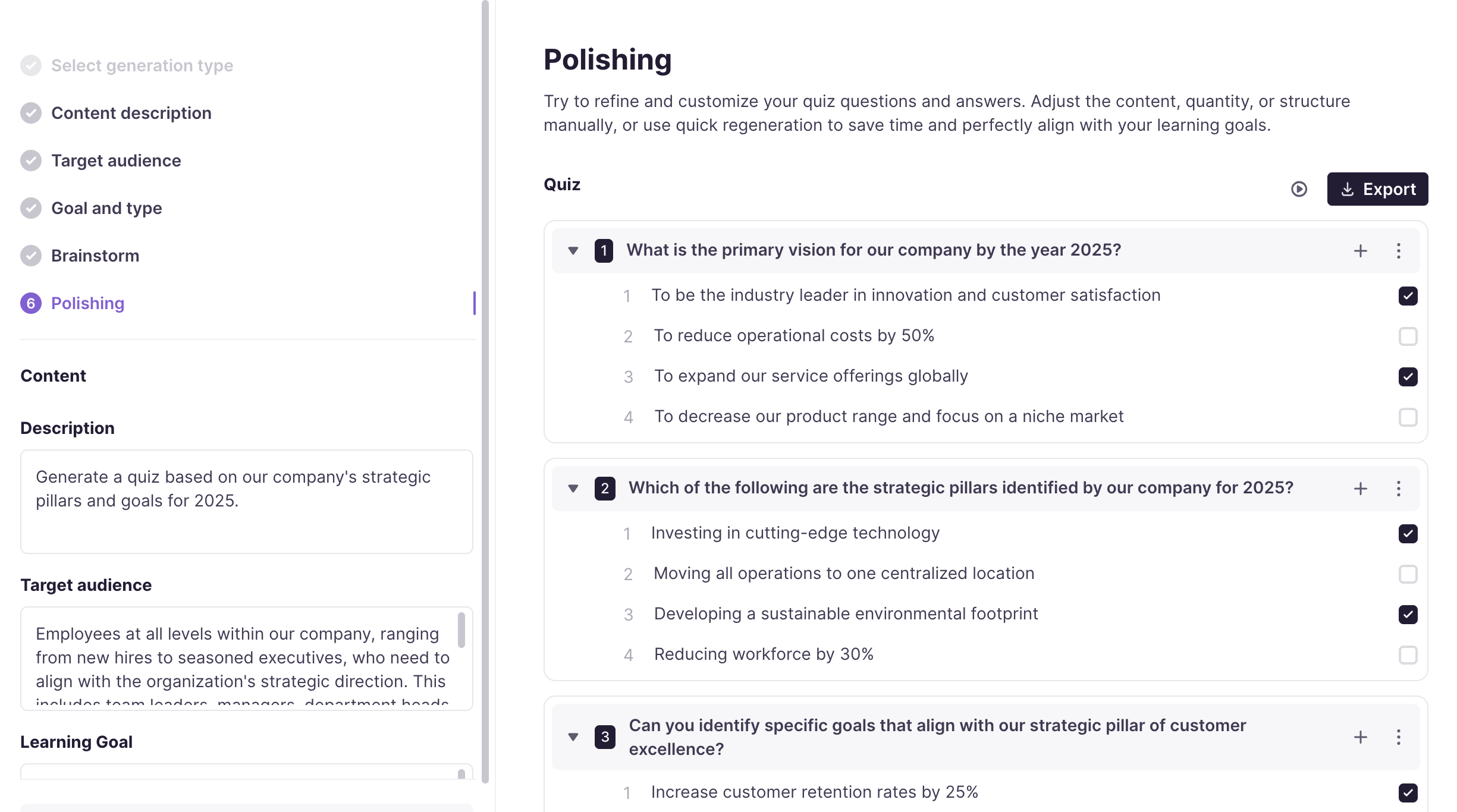
Smartcat drafts lessons, knowledge checks and interactions from your material: single and multiple choice, sorting, matching and open questions, plus accordions, processes and timelines: eight question and interaction types in all. Everything stays editable in the course editor.
What experts should still check before translation:
- Facts and policy wording taken from the source documents.
- Quiz answers, especially the distractors.
- Examples that may not suit every region.
How do you add video lessons in several languages?
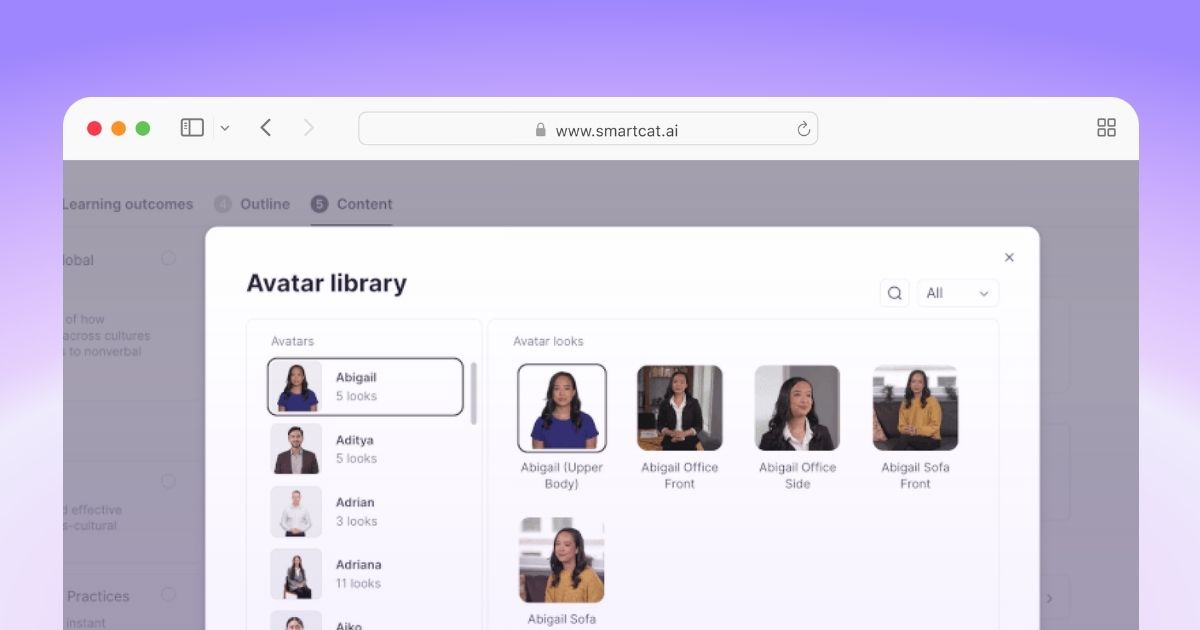
In Smartcat, draft a script from the lesson’s key points, review it, and turn it into a video lesson with an AI avatar. Because the lesson starts as text, it can be translated like the rest of the course instead of being re-recorded per language. Smartcat has translated more than 35,000 hours of video and audio.
For existing training video, see the video translation guide.
Why review the course before you translate it?
Because every error in the source is copied into every language. Approving the course once, in one language, then translating the approved version is the fastest reliable sequence, and it is how Smartcat keeps creation and translation in the same workspace.
“What we had to do was find a tool that would allow us to create small training courses at pace, in a SCORM standard, and adaptable. That’s where Smartcat came in.”
Ross Taylor, Co-Founder, Invosphere
“Now, we can create 10–15 minute micro-courses that are consumable, localized, and engaging. And we can do it affordably and fast.”
Tania Feeley, Consultant, Invosphere
Read how Invosphere builds SCORM micro-courses with Smartcat in the Invosphere case study.
Which corporate training courses work best with AI creation?
Smartcat’s AI course creation works best for courses that start from documents your teams already maintain: onboarding, compliance and policy, product training, and sales and service enablement. Highly custom simulations are still better built by hand in an authoring tool.
- Onboarding: turn handbooks and process documents into short modules with knowledge checks.
- Compliance and policy: build from the policy itself, then translate with expert review (compliance training translation).
- Product training: update the course when the product documentation changes.
- Sales and service enablement: keep every region on the same message.
“We rolled the program out 90% faster and at a 90% lower cost.”
Nicole Morgan, Director, Global Sales and Service Enablement at Cummins Inc.
Try it with one of your documents
Upload a deck or policy document and see a course drafted from it; the 15-day free trial includes course creation (AI course creator).
Frequently asked questions
Can AI turn a PowerPoint or PDF into a SCORM course?
Yes. Upload the deck or document, set the audience and learning goals, and Smartcat drafts the lessons and quizzes. Review the draft, then export it as a SCORM package (SCORM course builder).
How long does it take to create a course with AI?
Drafting is the fast part: an outline, lessons and quizzes come back in one working session. Most of the time goes to expert review and one review round per language.
Will an AI-created course work in my LMS?
It will if it is exported in a standard your LMS supports, usually SCORM 1.2 or SCORM 2004. Test one package before you build a whole library and check that completion and scores report correctly.
Can I sell courses I create with Smartcat?
Smartcat is built for company training: employees, partners and customers. It has no sales pages or payments, so courses for sale belong on a course platform; you can still use Smartcat to translate them.
Is Smartcat affiliated with the companies named in this guide?
No. Smartcat is an independent platform and is not affiliated with, endorsed by, sponsored by or otherwise associated with any company or product named in this guide. All product names and trademarks are the property of their respective owners and are used solely for identification and comparison.
Related guides
Sources
- Coursebox: translating an existing course
- Confirm: generating a project with AI (formerly Elucidat)
- Smartcat: Invosphere case study

Maksym Ostapenko · Head of Product Growth, Smartcat
Maksym Ostapenko is Head of Product Growth at Smartcat, where he works on AI translation workflows, eLearning and enterprise localization. He writes about translation technology and localization operations from hands-on product experience.
All product names are trademarks of their respective owners. Smartcat is not affiliated with, endorsed by or sponsored by any company named in this guide; names are used solely for identification and comparison.