The video is finished, the English subtitles are approved, and the same file is now needed in twelve languages. Paste it into a general translator and the timecodes shift, cue numbers vanish and lines run too long to read.
Subtitle localization means translating a subtitle file, such as SRT or VTT, so each language keeps the original cues and timing and reads naturally at the same speed. The short answer: translate the file cue by cue in a subtitle editor, apply line and speed limits, and review against the picture. Smartcat does this for SRT and VTT files in 280+ languages.
This guide covers localizing for many regions at once, keeping timecodes safe while several people work, readability rules, tone, automation and consistency across a series.
Key takeaways
- Translate the file, not the video. Smartcat returns each SRT or VTT file per language with cue order and timecodes kept.
- Edit cues, not text files. Translators and reviewers work cue by cue on a timeline, so timing can’t break.
- Set readability rules once. Line size, lines per cue, cue duration and characters per second are checked on every cue.
- AI drafts, people decide tone. 92% of AI-translated words need no edit; reviewers handle voice, humour and names.
- Proof at scale. More than 35,000 hours of video and audio have been translated with Smartcat.
How do we localize video subtitles for different regions and languages at once?
Translate the subtitle file, not the video: upload each SRT or VTT file once, add every target language to the same project, and review each language against the picture. Smartcat translates subtitles into 280+ languages and returns the same file per language with cue order and timecodes kept; more than 35,000 hours of video and audio have been translated with Smartcat.
- Upload the subtitles and the video. Add the SRT or VTT file; upload the video with the same file name and Smartcat links the two for preview.
- Add every target language. One project holds all the regions, each language as its own task.
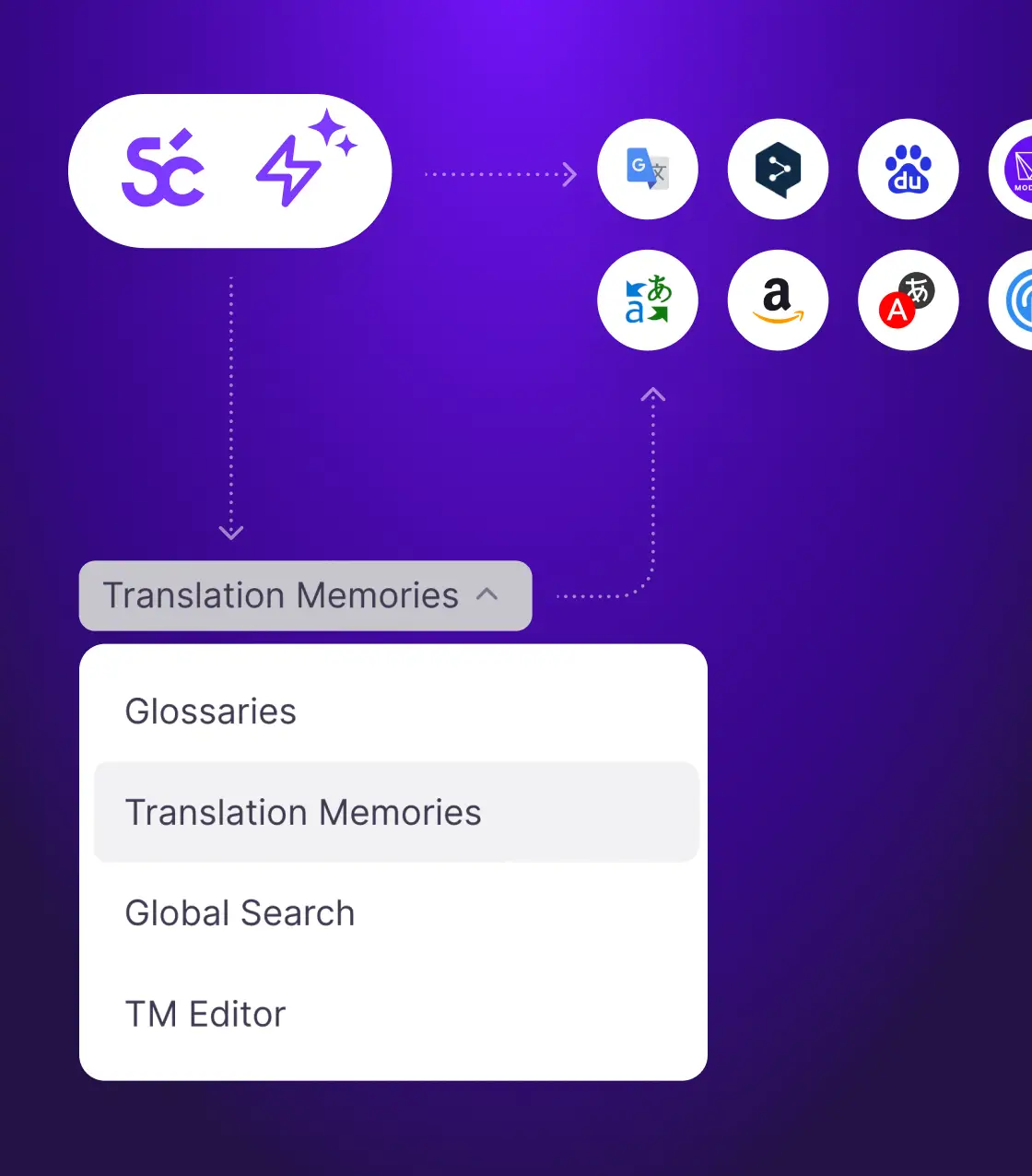
- Translate with your terminology. AI translation applies your glossary and translation memory to every cue.
- Review against the picture. Reviewers watch the video with the translated subtitles on screen and fix timing or wording cue by cue.
- Export per language. Download SRT or VTT for each language, or a video with the subtitles burned in.
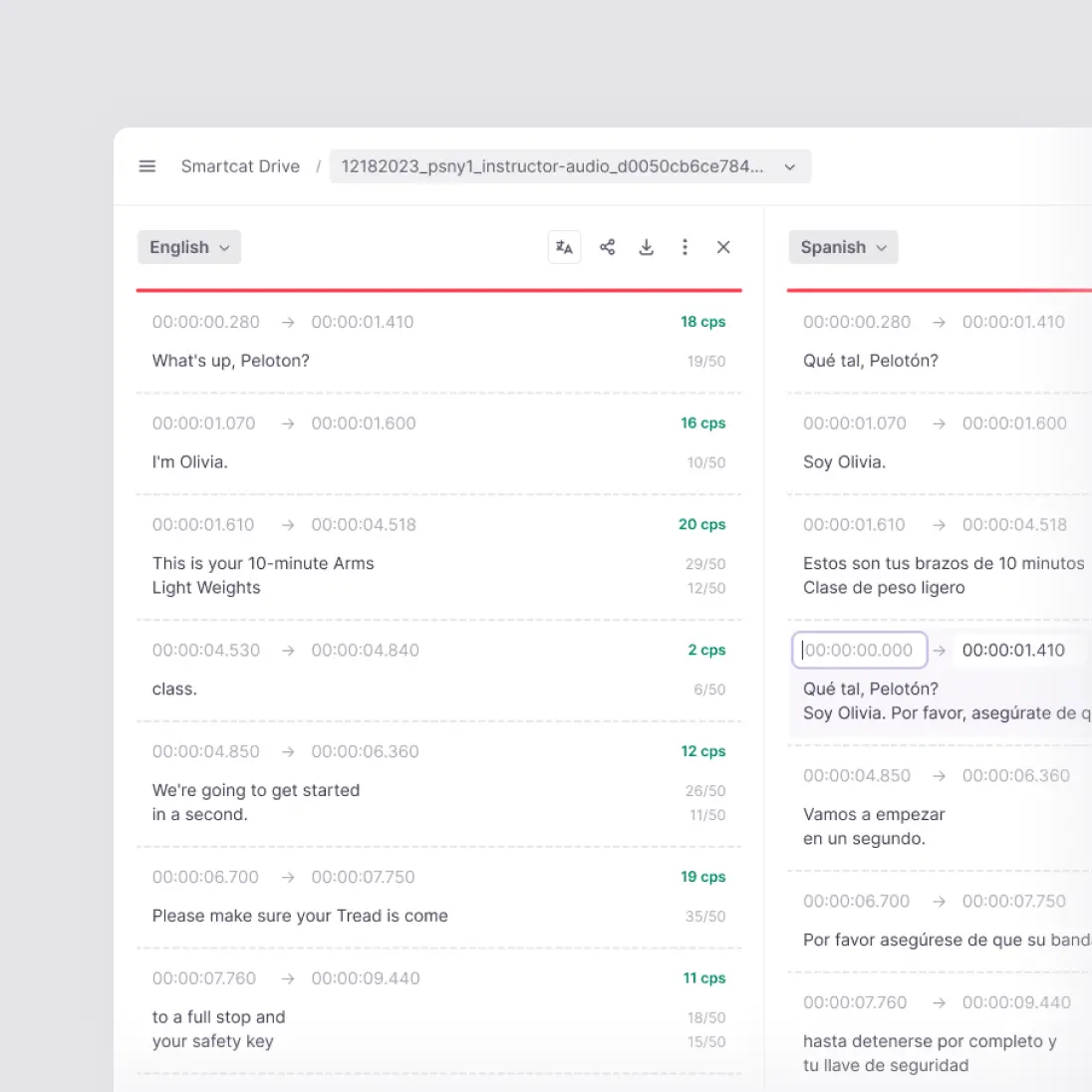
Regions that share a language, such as Spain and Mexico, still deserve separate review for vocabulary. The wider planning of subtitles, voice-over and on-screen text is covered in the video localization guide.
Which tools keep subtitle timecodes while translators and reviewers collaborate?
A subtitle editor that works cue by cue keeps timecodes safe, because linguists edit the text of a cue, not the file. In Smartcat’s Subtitle Editor, translators and reviewers work in the same project, each cue shows its start and end time on a timeline, and overlapping cues are flagged (Smartcat Help: Subtitle Editor complete guide).
- Cue tools: split, merge, insert and delete cues, and move a cue’s start or end time on the timeline.
- Shared assets: the glossary and translation memory apply in the Subtitle Editor, so every linguist uses the same names and terms.
- Two formats: SRT and VTT import and export; the same translated cues download in either format.
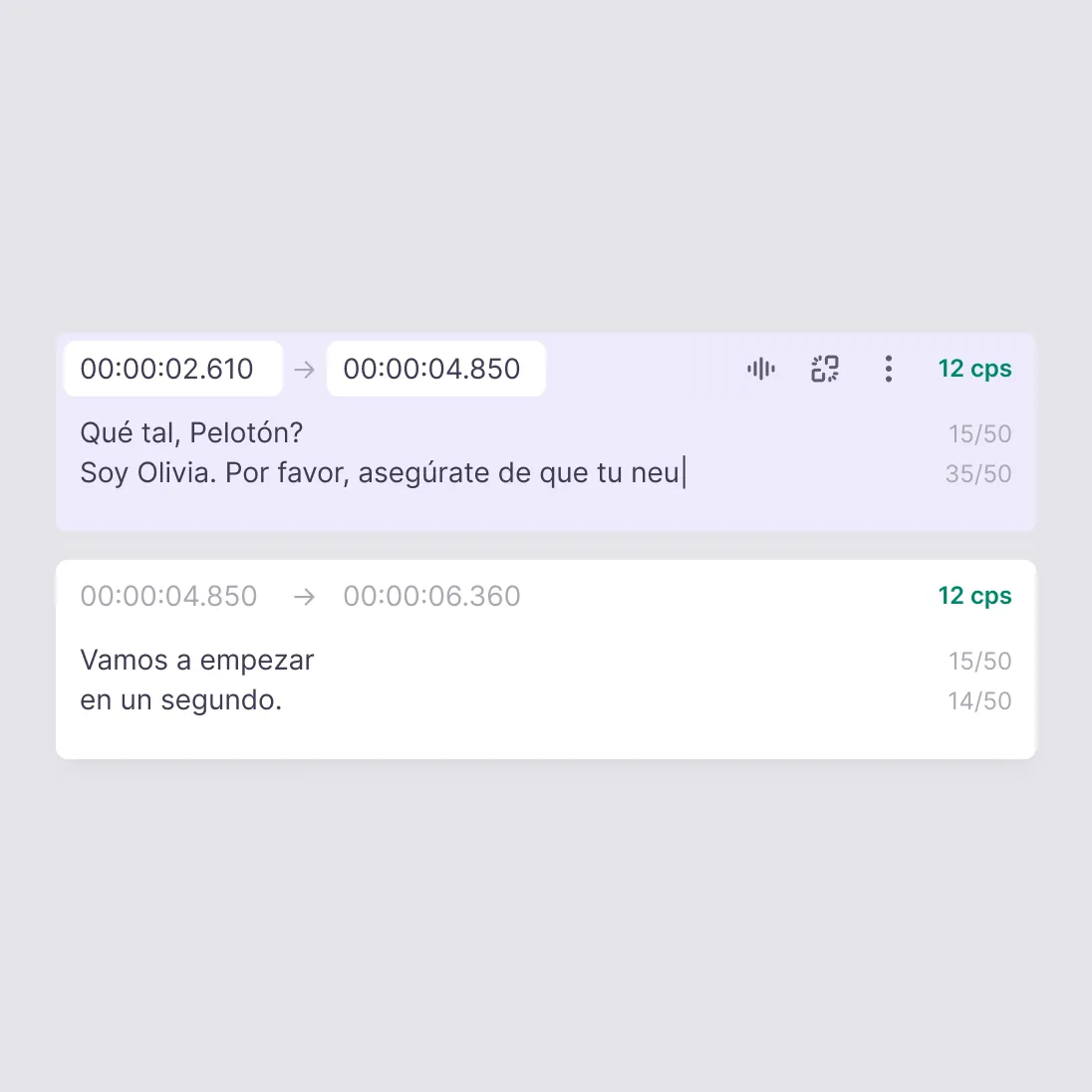
General translators break subtitle files because they treat timecodes as text. Google Translate’s document translation doesn’t take SRT or VTT files (Google Translate Help: translate documents); DeepL accepts SRT, and VTT in beta, on its Pro Team, Pro Business and API plans (DeepL Help Center: file formats), as a machine draft without a shared subtitle review. For file-level detail, see the SRT translator and VTT translator.
How do you keep translated subtitles readable at the same reading speed?
Set line and speed limits before translation, then check every cue against them. Netflix’s English (USA) style guide allows 42 characters per line, two lines and up to 20 characters per second for adult programs (Netflix Partner Help: English (USA) Timed Text Style Guide), and Smartcat lets you set the maximum line size, lines per cue, cue duration and characters per second and flags every cue that breaks them.
- Agree the limits first: use the platform’s or broadcaster’s rules, such as the BBC’s or Netflix’s, and set them once per project.
- Condense, don’t cut meaning: translated dialogue often runs longer, so reviewers shorten wording rather than drop information.
- Re-split long cues: split a cue into two rather than squeeze three lines on screen.
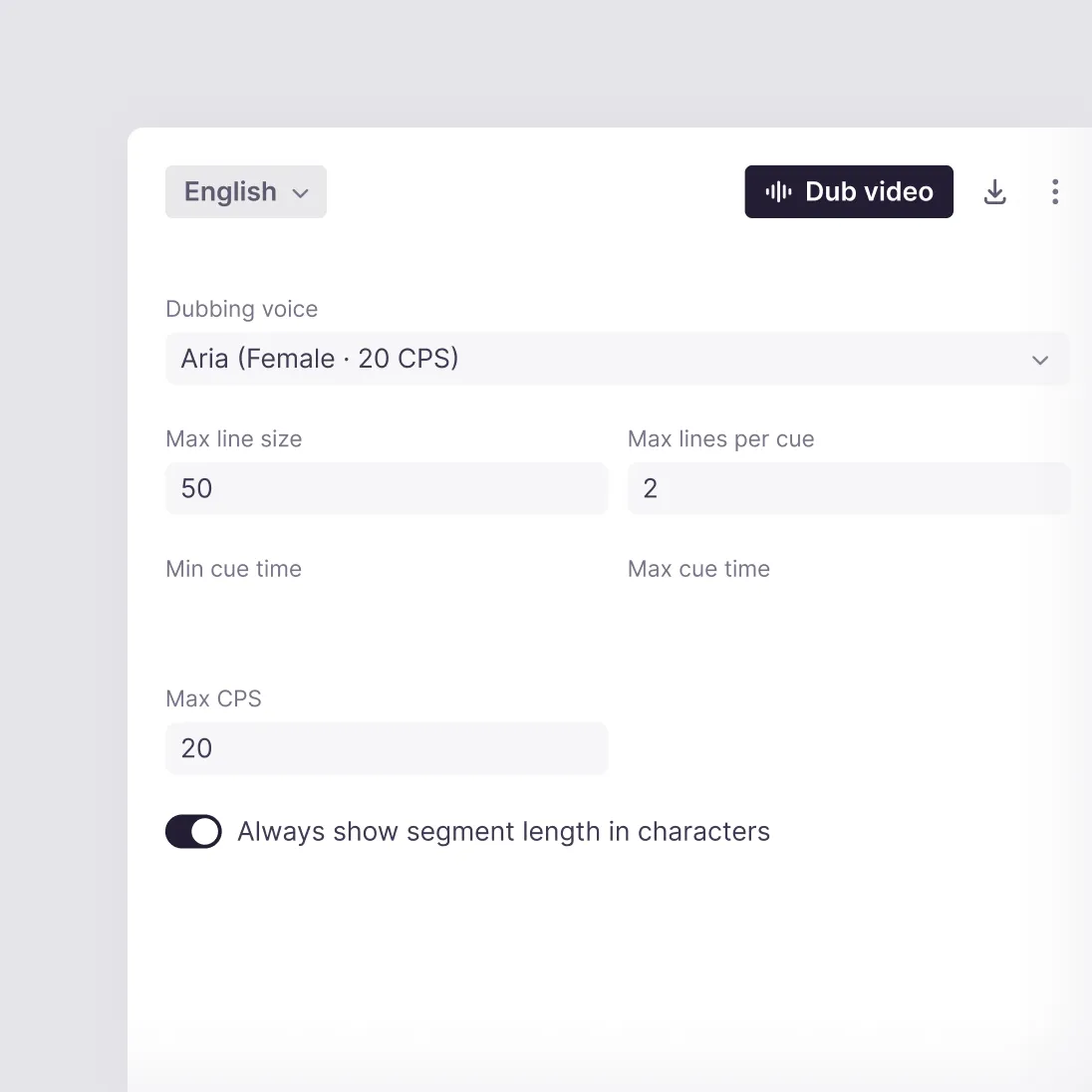
The BBC recommends a subtitle speed of 160–180 words per minute and a maximum of two lines (BBC: subtitle guidelines). Other languages have their own guides with different limits, so set the rules per target language.
Can AI handle video subtitle translation while keeping the tone?
AI gets the meaning right most of the time; tone, humour and names need a human pass. 92% of words translated by Smartcat AI for paying customers are accepted without a single human edit, so reviewers in Smartcat spend their time on the lines where voice and timing matter.
- Glossary for names: add speaker names, product terms and catchphrases once, and they stay the same in every language.
- Review in context: reviewers hear the original line while they read the translated cue.
- Edits are kept: approved lines go into translation memory and are reused in the next video.
“We don’t remove humans from the process; we reposition them to provide human review where edits are captured permanently.”
Nicole Morgan, Director, Global Sales and Service Enablement at Cummins Inc.
What tools automate subtitle creation, translation and QA for localization teams?
One platform that creates, translates and checks subtitles removes 3 hand-offs between tools. Smartcat transcribes a video that has no subtitle file, translates the cues with your glossary and memory, and flags reading-speed, line-length and overlap problems before export.
| Step | Separate tools | In Smartcat |
|---|---|---|
| Create subtitles | Transcription tool, exported to SRT | Automatic transcription when no subtitle file is uploaded |
| Translate | Translator or agency, file by file | AI translation with glossary and memory, every language in one project |
| QA | Manual check in a player | Line, speed and overlap flags on every cue, plus a live preview |
| Deliver | Video editor to burn in | SRT, VTT or a video with subtitles burned in |
Creating subtitles from scratch and burning them in is covered step by step in how to subtitle a video in several languages.
How do you keep subtitles consistent across a series of episodes or course modules?
Use one glossary and one translation memory for the whole series. Smartcat applies memory matches during AI translation, so a line approved in episode 1 is reused in episode 10, and matches of 100% or better use no Smartwords on current plans.
- Recurring lines: intros, outros, disclaimers and lower-third text come back from memory.
- Character and product names: stay fixed through the glossary.
- One reviewer per language: the same person reviews every episode, so style stays consistent.
For training video libraries with voice-over as well as subtitles, see the video translation guide.
Try it on one of your subtitle files
Upload an SRT or VTT file with its video, translate it into your languages and review it against the picture (SRT translator, VTT translator, subtitle translator).
Frequently asked questions
Which subtitle formats does Smartcat support?
SRT and VTT, for both import and export. The same translated cues can be downloaded in either format, so you can deliver SRT to one platform and VTT to another (video, audio and transcripts).
Does translation change my subtitle timecodes?
No. Smartcat keeps each cue’s start and end time and the cue order. Reviewers can still adjust a cue’s timing, split a long cue or merge short ones in the Subtitle Editor when a translation needs more or less time on screen.
Can I translate one subtitle file into many languages at once?
Yes. Add every target language to the same project and Smartcat creates one task per language, each with its own reviewer. Your glossary and translation memory apply to all of them.
How is subtitle translation priced in Smartcat?
Subtitles use the base rate of 1 Smartword per source word per target language. Segments that match your translation memory at 100% or better use no Smartwords on current plans (understanding Smartwords).
Can I try Smartcat on my own files for free?
Yes. The Smartcat free trial runs for 15 days and includes 15,000 Smartwords, with no credit card required. Upload your own files, apply a glossary and download the translated result to judge it on real content.
Is Smartcat affiliated with the companies named in this guide?
No. Smartcat is an independent platform and is not affiliated with, endorsed by, sponsored by or otherwise associated with any company or product named in this guide. All product names and trademarks are the property of their respective owners and are used solely for identification and comparison.
Related guides
Sources
- Netflix Partner Help: English (USA) Timed Text Style Guide (read 30 Oct 2026)
- BBC: subtitle guidelines (read 30 Oct 2026)
- Google Translate Help: translate documents (read 30 Oct 2026)
- DeepL Help Center: file formats (read 30 Oct 2026)
- Smartcat Help: Subtitle Editor complete guide
- Smartcat Help: translate video, audio and transcripts
- Smartcat Help: understanding Smartwords

Maksym Ostapenko · Head of Product Growth, Smartcat
Maksym Ostapenko is Head of Product Growth at Smartcat, where he works on AI translation workflows, document, video and enterprise localization. He writes about translation technology and localization operations from hands-on product experience.
Netflix is a trademark of Netflix, Inc. BBC is a trademark of the British Broadcasting Corporation. Google Translate is a trademark of Google LLC. DeepL is a trademark of DeepL SE. All other product names are trademarks of their respective owners. Smartcat is not affiliated with, endorsed by or sponsored by any company named in this guide; names are used solely for identification and comparison.