Your app reads its text from en.json or en.yml. Translating those files by hand, or by pasting them into a chat assistant, works until a key gets translated, a placeholder disappears or a plural form is missing, and the build or the screen breaks.
A JSON locale file stores an app’s interface text as key-value pairs, one file per language. The short answer: translate the values, never the keys or placeholders, with a tool that parses the file and writes it back. Smartcat does this for JSON and YAML.
This guide covers what breaks, how to protect keys, placeholders and plurals, how to run translation from a CLI or CI job, and how to add languages without retranslating. The examples use Smartcat.
Key takeaways
- Translate values, not keys. Smartcat imports JSON and YAML as keys and sends only values to translation.
- Placeholders stay code. Variables like {name} are locked in the editor.
- Plurals per language. Native plural segments or ICU MessageFormat, exported as ICU-compatible strings.
- Automate it. The Smartcat CLI, REST API and Git integration move files without manual uploads.
- Reuse what’s approved. Only new and changed strings are billed; 92% of AI-translated words are accepted unedited.
What’s the best tool for translating JSON and YAML localization files for a SaaS product?
A tool that reads the file as keys and values, translates only the values and writes the same structure back. Smartcat imports JSON and YAML into a software localization project, keeps keys and placeholders locked, and exports flat or structured files; 92% of words translated by Smartcat AI are accepted without a single human edit.
- Keys stay keys: only values are sent to translation.
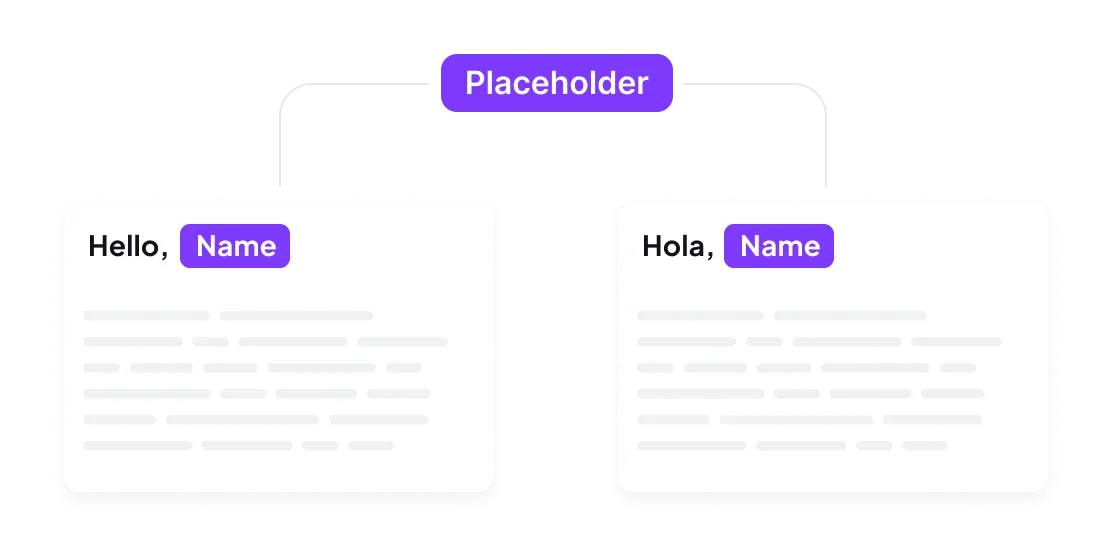
- Placeholders stay code: variables such as {name} can’t be translated or deleted.
- Plurals work per language: each language gets the plural forms it needs.
- Structure survives: nested files come back nested, flat files come back flat.
- Automation: files move through the UI, a CLI or an API, so a release doesn’t wait for a person.
For one-off files, the free JSON translator is the quickest start; for a product that ships weekly, JSON localization in Smartcat keeps every language in step.
Why do JSON locale files break when you paste them into ChatGPT or Google Translate?
General translators see JSON as text, so keys, placeholders and escaping get translated along with the copy. Smartcat parses the file instead, so only values reach translation. Google Translate’s document upload takes .docx, .pdf, .pptx and .xlsx, not locale files (Google Translate Help: Translate documents & websites).
| What breaks | What you see in the app | How a parser prevents it |
|---|---|---|
| Translated keys | Missing-key errors or English fallbacks | Keys never reach the translator |
| Changed placeholders | {nombre} instead of a user’s name | Placeholders locked in the editor |
| Broken quotes or escaping | The file fails to parse at build time | The file is written back by the parser |
| Wrong plural forms | “1 items”, or a missing form in Polish or Arabic | Plural forms generated per language |
| Lost context | A two-word label translated the wrong way | Key IDs and comments shown to translators |
Machine translation APIs are catching up on formats: DeepL’s document API accepts JSON, with YAML in beta, as of October 2026 (DeepL API: Upload and translate a document). An API still gives you no review in context and no memory of approved strings, and a chat assistant returns a different file each time you ask. Keeping and reusing approved translations is what makes releases consistent.
How do you keep keys, placeholders and plurals intact when you translate JSON?
Use a translator that understands the file’s structure and the ICU message syntax inside it. Smartcat handles plurals two ways, as native plural segments in the editor or as ICU MessageFormat, and converts them back to ICU-compatible strings on export. English has two plural categories, Polish four and Arabic six (Unicode CLDR: Language plural rules).
{
  "checkout": {
    "title": "Your cart",
    "greeting": "Hello, {name}!",
    "items": "{count, plural, one {# item} other {# items}}"
  }
}- Nested keys: import structured JSON and set a path separator, so checkout.title comes back inside checkout.
- ICU plurals: each plural branch becomes its own segment, and translators add the forms their language needs.
- LocJSON: when you import LocJSON, choose whether ICU messages are split into segments or kept raw, with an ICU previewer and validator in the editor.
- YAML: imports and exports like JSON, flat or structured.
How do you translate i18n JSON files from the command line or a CI pipeline?
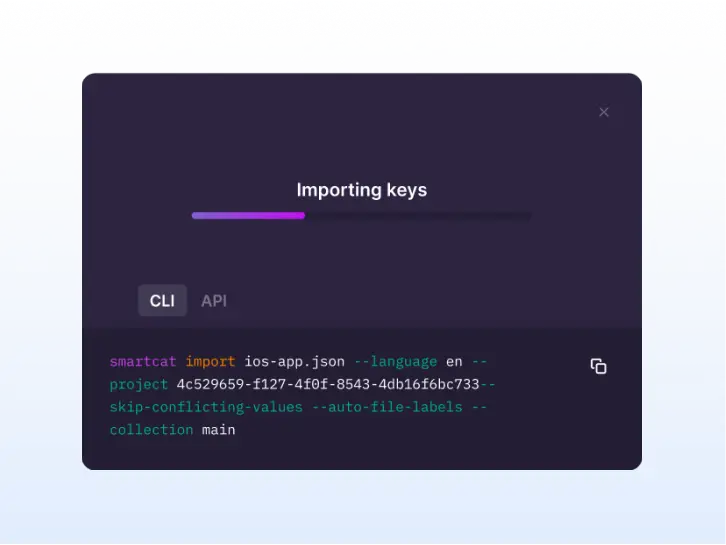
Import the locale file with a CLI command, let translation run, and export the translated files in the same job. Smartcat supports this through its CLI and REST API, and through the GitHub, GitLab and Bitbucket integration for teams that would rather sync the repository than script it. One import can feed all 280+ target languages.
- Create a project. Choose the source language and the target languages; you can add targets later.
- Import keys. Run the Smartcat CLI import against your en.json or en.yml, or call the API from CI (CLI docs).
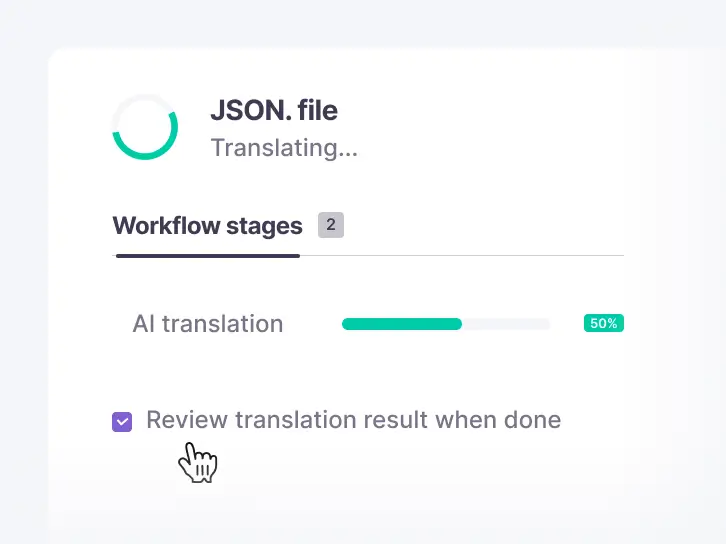
- Translate. AI translates with your glossary and translation memory; reviewers approve in the editor.
- Export. Download or pull one file per language, flat or structured, ready to commit.
Prefer the browser? The JSON file translation walkthrough shows the same flow with drag-and-drop upload.
How do you add a new language or translate only the keys that changed?
Keep one source project and let translation memory do the work. In Smartcat, target languages can be added to a project at any time, approved strings are reused, and only new and changed strings are billed, across 280+ languages.
- New language: add it to the project; existing keys translate with the same glossary.
- Changed keys: import the new source file; unchanged keys keep their approved translations.
- English as a target: source files in other languages translate into English the same way (translate JSON to English).
“Smartcat is more than a translation tool for us; it’s integrated with our tech stack.”
Magdalena Tumulka, Localization Lead, Huel
Babbel saves 31 hours of work a month with Smartcat (Babbel case study).
Try it on one of your locale files
Upload one JSON or YAML file and get it back in your target languages with the structure intact (JSON localization, translate a JSON file).
Frequently asked questions
Does translating a JSON file change its keys?
No, not in Smartcat. Keys are imported as identifiers and only values are translated, so the exported file uses the same keys and the same nesting as the source.
Can Smartcat translate nested JSON?
Yes. Import structured JSON with a path separator, and nested keys come back nested on export. You can also export flat files if your framework expects them.
Does Smartcat support ICU MessageFormat plurals?
Yes. Plurals can be handled as native plural segments or in ICU MessageFormat syntax, and export converts them to ICU-compatible strings. Translators add the plural forms each language needs.
Can Smartcat translate YAML files?
Yes. YAML imports and exports in software localization projects, flat or structured, the same way as JSON.
What’s the difference between a JSON translator and a localization platform?
A JSON translator returns one translated file. A localization platform such as Smartcat also keeps a translation memory and glossary, routes strings to reviewers and syncs with your repository, so the next release only translates what changed (JSON localization).
How do I find untranslated or missing keys before a release?
Check progress per language before you export. Smartcat shows translation and review progress for each target language, so you can see which languages are complete before a release instead of finding English fallbacks in production.
Is Smartcat affiliated with the companies named in this guide?
No. Smartcat is an independent platform and is not affiliated with, endorsed by, sponsored by or otherwise associated with any company or product named in this guide. All product names and trademarks are the property of their respective owners and are used solely for identification and comparison.
Related guides
Sources
- Google Translate Help: Translate documents & websites
- Unicode CLDR: Language plural rules
- ICU documentation: Formatting messages
- DeepL API: Upload and translate a document

Maksym Ostapenko · Head of Product Growth, Smartcat
Maksym Ostapenko is Head of Product Growth at Smartcat, where he works on AI translation workflows, software localization and enterprise localization. He writes about translation technology and localization operations from hands-on product experience.
GitHub, GitLab, Bitbucket, Figma, Android, iOS, Xcode, .NET and all other product names are trademarks of their respective owners. Smartcat is not affiliated with, endorsed by or sponsored by any company named in this guide; names are used solely for identification and comparison.