

- 20% of Fortune 100 trust Smartcat

- SOC II compliant organization

Canva Translator: Translate Designs Instantly with AI Agents
Translate your Canva designs into 280+ languages as you create them. Preserve your layout, tone, and brand voice in every language, all from within your Canva workspace.

Trusted by 1,000+ enterprise L&D teams, including 20% of the Fortune 500.
See the Canva Agent In Action
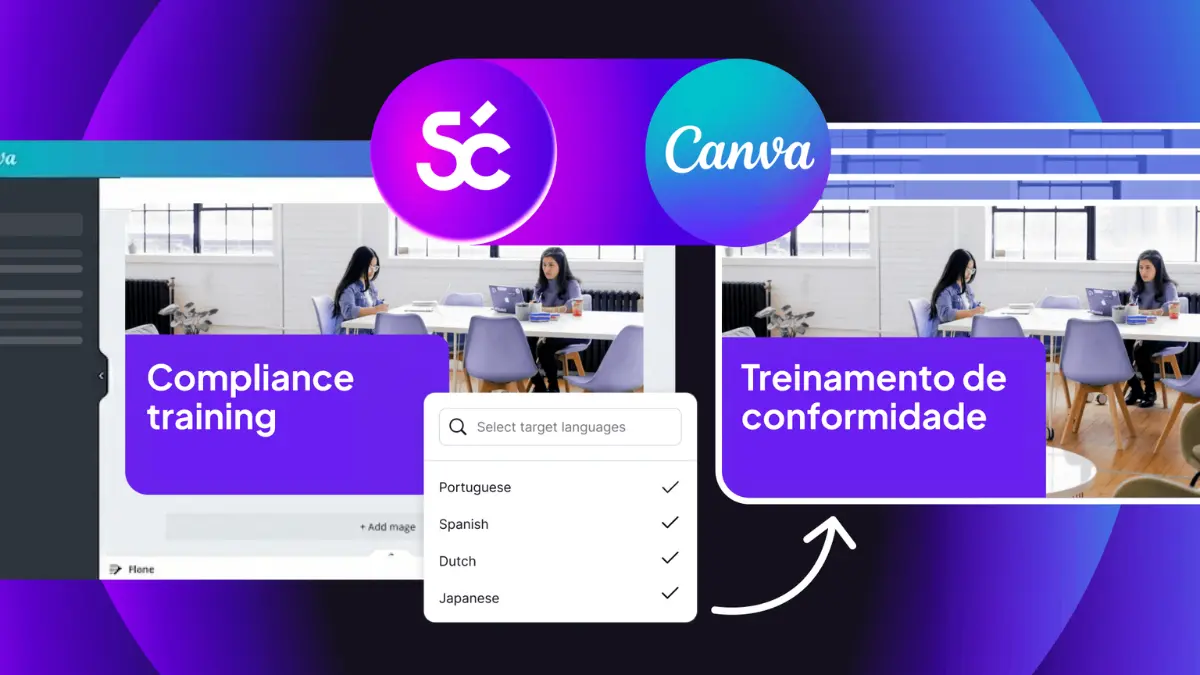
Bring Your Canva Designs To Life In Every Language
Translate Canva designs
Translate exported Canva designs — decks, brochures, one-pagers — while keeping formatting intact. The Canva Agent handles text, visuals, and structure simultaneously.
Translate text within Canva visuals
The Agent detects and translates on-image text for graphics, infographics, and social posts — without breaking layouts. Ideal for multilingual campaigns and training visuals.
Enterprise translation capability. Canva ease of use.
The Canva Agent brings enterprise features like glossaries and translation memory that learn your brand into Canva’s simple, intuitive UX.
Collaboration and Review Workflows
Built-in workflows let reviewers refine translations right in Canva or in Smartcat. Sync final content back with one click — keeping everything connected and compliant.
Translate your Canva content in 4 simple steps
1
Open the Smartcat Agent inside Canva
Access the Smartcat AI Agent in Canva's App panel. Log in or sign up, and the Agent integrates with your Canva workspace, ready to translate your designs.
2
Choose your languages and translation mode
Tell the Agent which languages you need for translating entire designs, specific text boxes, or even image text layers. The Agent uses your Smartcat glossary and translation memory for on-brand context.
3
Watch your design translate instantly
Canva's Agent translates directly, updating text, localizing images and captions, and preserving brand style, fonts, and colors in real-time. Translations sync with Smartcat for quality assurance or expert review if workflows are enabled.
4
Review, refine, and publish
Preview all language versions in Canva. Make quick edits directly or pull updated text from Smartcat if reviewers made changes. When done, download, share, or publish your design for every market.
Department-Specific Use Cases
Design content for every market in one workflow
The Canva Agent helps marketers launch multilingual campaigns in every market. Create and translate content at once — social ads, or sales collateral — with full brand consistency.
Create and localize training in one flow
L&D teams can build and translate training slides, onboarding decks, and microlearning videos in Canva — simultaneously. Smartcat applies glossaries and brand tone to keep learning consistent across languages.
Trusted by global enterprises for multilingual design translation
for setup simplicity
for ease of use
global corporate clients
of Fortune 500 customers
70%
faster localization
Stanley Black & Decker streamlined creative workflows and launched multilingual campaigns faster.
50%
higher productivity
Expondo reduced manual work while improving translation quality.
30%
more multilingual content output
Babbel expanded its reach globally while maintaining brand voice.
Enterprise-grade security for every design
Your data stays protected with SOC 2 Type II compliance, encrypted processing, and governance controls. Smartcat ensures your multilingual Canva content is always secure and compliant.
Start translating your Canva designs today
Experience the AI Agent built for global content creation—enterprise power with Canva simplicity.
FAQs
How does Smartcat’s Canva Agent work?
Open Smartcat’s Agent inside Canva, choose your languages, and the AI translates your design in real time. You can review, edit, or push translations back instantly—no exports required.
What content types can I translate?
Text and image layers, presentations, PDFs, social assets, learning curriculum designs, created in Canva.
Does the Canva Agent work well for global enterprises? What is the best enterprise solution for Canva translations?
The Smartcat Canva is the best fit for Canva users who need to translate content at an enterprise scale. It works in multiple languages at one time, handles both text and image translation, and produces on-brand output thanks to its human-in-the-loop workflows, translation memories, and glossaries. No other Canva translation solution offers this mix of enterprise compatibility.
How will it save my team time?
Canva users can now create content once and replicate it for every language they need in one motion, avoiding manual recreation of every asset in every language. The Canva Agent even manages review workflows, acting as a localization project manager who never drops the ball.
How accurate is it?
Over 95% accuracy, thanks to brand-specific glossaries, translation memory, and optional human-in-the-loop review.
Can my team collaborate on translations?
Yes. Multiple users can review or approve translations simultaneously in Smartcat or directly inside Canva.
Is my content secure?
Absolutely. Smartcat is SOC 2 Type II certified and uses end-to-end encryption to safeguard all data and design assets
Is Smartcat affiliated with Canva?
No. Smartcat is an independent platform and is not affiliated with, endorsed by, sponsored by, or otherwise associated with Canva or Canva Pty Ltd. Canva® is a trademark of Canva Pty Ltd.
All product names, logos, and trademarks referenced on this page are the property of their respective owners and are used for identification and descriptive purposes only. Smartcat’s integration and file-format support are built on publicly documented standards and do not imply any partnership or certification.